


Many business owners wonder, “How much should I pay for someone to manage my website?” Keeping your website professional, secure, and up-to-date is key to making a good impression and maintaining a strong online presence.
There’s no one-size-fits-all answer because the cost of website management depends on several factors. In this article, we’ll break down what affects the price, common price ranges, and how to choose the right option for your business.
What Affects the Cost of Website Management?
Managing a website includes many tasks, each adding to the overall cost. Here are the main factors that affect the cost of managing a website:
1. Hosting and Domain Fees
Your domain name and hosting plan are the basics of running a website. The domain name is like your website’s address, while the hosting plan gives you the space to store your site online. The costs for both can vary a lot, so it’s important to know exactly what you’re paying for and why.
Most people buy domain names on a yearly basis. Standard domain extensions like .com or .net usually cost between $10 and $50 per year. But if you want a premium domain with a special keyword or a unique extension like .store or .tech, it can be much more expensive. Some domain registrars also offer discounts if you pay for several years at once or bundle the domain with other services, which can help save you money over time.
Hosting Plans
Hosting costs can vary based on the type of plan you choose, and it should match your website’s size, traffic, and performance needs.
- Shared Hosting: This is the cheapest option, usually costing between $5 and $20 per month. It’s good for small websites with low traffic, but because you’re sharing resources with other sites, it can affect speed and performance.
- Virtual Private Server (VPS) Hosting: A mid-tier option at $20–$100 per month. Offers dedicated resources on a shared server, providing better performance and scalability.
- Dedicated Hosting: If you have a high-traffic or resource-heavy website, this is the premium option. It typically costs between $100 and $500+ per month. With dedicated hosting, you get an entire server just for your website, ensuring top-notch performance.
- Cloud Hosting: Flexible and scalable, with costs ranging from $10 to $200+ per month, depending on usage. Ideal for websites with fluctuating traffic.
While it might be tempting to go for the cheapest option, it’s important to think about both your website’s current and future needs. This way, you can pick a plan that gives you the best balance of price and performance.
2. Platform or CMS Choice
Your choice of content management system (CMS) is crucial as it determines how your website is built, maintained, and updated. The CMS you select can significantly influence your overall website management costs, depending on its features, scalability, and additional requirements.
Popular CMS Options and Their Costs
- WordPress.org: Free to use, but you’ll need to pay for hosting, premium themes, and plugins. It’s a great choice for everything from small blogs to large, complex websites.
- Squarespace: A subscription-based platform with plans ranging from $16 to $54 per month. It offers built-in features for design, hosting, and e-commerce, but lacks extensive customization compared to other platforms.
- Shopify: Designed for e-commerce and comes with plans that range from $39 to $399 per month. You may also need to pay for premium apps and additional features like shipping and payment integrations.
- Wix: A beginner-friendly option with plans starting at $16 per month. While it’s great for small websites, it’s not as customizable or scalable as WordPress.
3. Design and Development Complexity
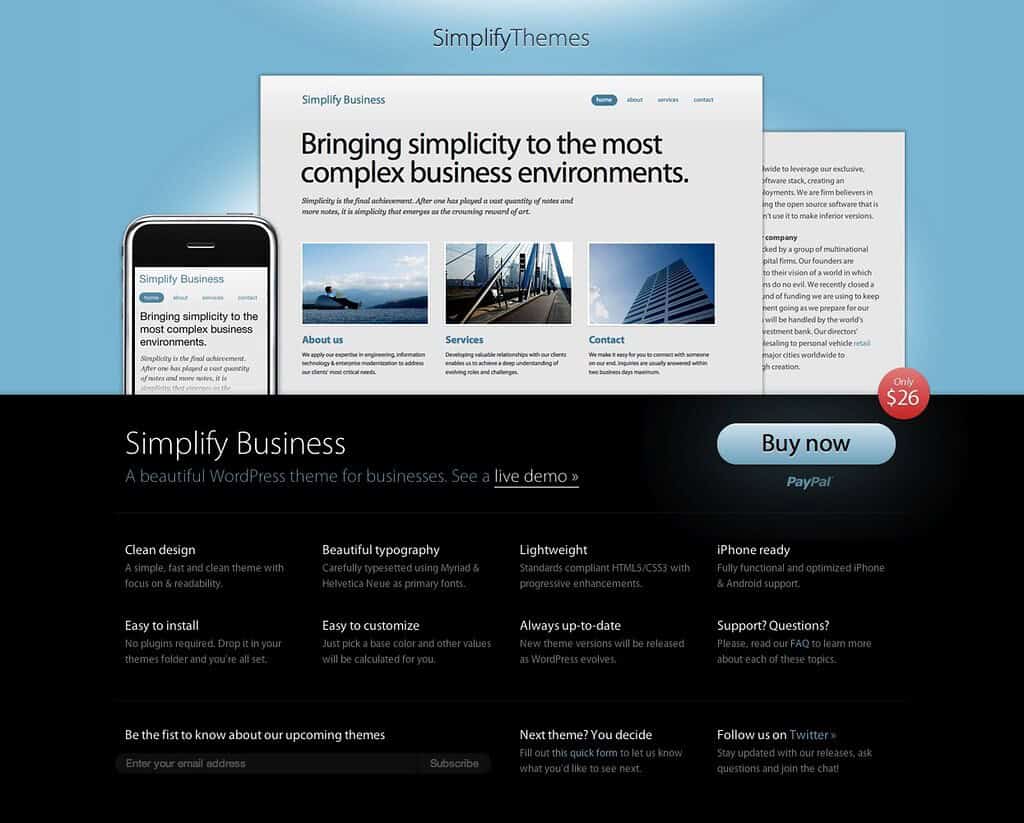
A simple site with a clean layout and basic features will be cheaper to maintain than one with custom features, complex interactivity, or detailed designs. Here are some key factors that can affect costs:
Custom vs. Template Designs:
- Template-Based Websites: Many CMS platforms offer free or low-cost templates that are easy to use and modify. Costs are minimal, but customization options may be limited. You may need to pay for add-ons if you want extra features.
- Custom Designs: If you go for a fully custom design created by a professional developer or agency, expect higher costs. Not only is the initial design more expensive, but there will also be ongoing costs for updates, fixing issues, and adjusting the design as your website grows.
4. Regular Updates and Technical Maintenance
Websites need regular maintenance to run smoothly, stay secure, and provide a good user experience. Here’s a breakdown of the key tasks involved in maintaining a website and how they impact costs:
Software and Platform Updates
CMS platforms, along with themes and plugins, need regular updates to keep up with new tech and security standards. If these updates are ignored, your website could face:
- Broken features
- Security vulnerabilities
- Performance problems
You may need to spend time doing updates yourself or hire someone to handle them for you.
Bug Fixes and Error Resolution
Bugs or errors can happen after software updates, coding conflicts, or other unexpected issues. It’s important to fix them quickly to keep the site functioning well and to maintain user trust. Larger sites or custom platforms may need professional developers to handle these issues.
Compatibility Testing
Your website needs to work smoothly across different devices, browsers, and operating systems. With updates to browsers or devices, you may need to test and adjust your site to make sure everything is compatible and works as it should.
Backup Management
Regular backups protect your website’s data in case something goes wrong, like a hack, crash, or accidental deletion. Some hosting providers offer automated backups, but you may need to pay extra for manual or more advanced backup solutions.
Server and Database Maintenance
Websites with high traffic or large amounts of data need regular server and database maintenance. This can include optimizing databases, managing server loads, and making sure the server-side software is up-to-date. While some hosting providers take care of these tasks, larger or custom-built sites may require specialized attention.
Looking for Website Assistance?
Let SetmySite handle your website needs—design, updates, security, and more. Contact us today to keep your site running smoothly!
5. Security Enhancements

Investing in website security not only keeps sensitive information safe but also builds trust with your audience and ensures compliance with industry standards. Here’s a breakdown of key security features and their costs:
SSL Certificates
These encrypt the data between your site and users to keep it secure. If your site handles sensitive data (like credit card info), an SSL is essential. Costs can range from free (via Let’s Encrypt) to $50–$500+ annually for premium certificates with added features.
Firewall Implementation
Firewalls block malicious traffic and protect against threats like SQL injections and cross-site scripting. While basic firewall protection is often included with hosting, more advanced options can cost $100–$500 annually.
Malware Scanning and Removal
Regular scans help detect and remove harmful malware. Services like Sucuri or SiteLock provide real-time monitoring, with monthly fees ranging from $10–$100, depending on the level of protection.
Two-Factor Authentication (2FA)
Adding an extra layer of security with 2FA helps protect logins. While some CMS platforms offer free options, more advanced 2FA tools may come with a small subscription fee.
Securing your site is an investment that pays off by protecting both you and your users.
6. Optimization for Search Engines (SEO)
Search engine optimization (SEO) is key to helping your website show up in search results and bringing in organic traffic. Here’s a breakdown of the main parts of SEO:
- Keyword Research: Finding keywords your audience searches for ensures your content meets their needs. This requires ongoing updates to stay ahead of trends. Tools like SEMrush or Ahrefs cost $99–$299/month, or you can hire experts for detailed research.
- On-Page Optimization: This focuses on improving individual pages with tasks like writing better meta titles, organizing content with headers, and using keywords naturally. Outsourcing this can cost $50–$200 per page, depending on the complexity.
- Technical SEO: This involves fixing your site’s structure and backend issues, like speeding up load times, making it mobile-friendly, and fixing broken links. A one-time audit usually costs $500–$2,000, with extra costs for ongoing help.
Why SEO is Worth the Investment
SEO can make a big difference for your website by helping you reach more people and build trust with your audience. Here’s why it matters:
- Better Visibility: Showing up higher on search engines like Google or Bing means more people find your site, bringing in organic traffic and leads.
- Builds Trust: A well-optimized site helps position your brand as a reliable expert in your industry.
- Long-Term Value: Unlike paid ads, SEO efforts can continue to bring results over time.
- Improves User Experience: SEO practices like speeding up your site and making it mobile-friendly also make it easier and more enjoyable for visitors to use.
Investing in SEO not only attracts more visitors but also helps turn them into customers by improving their overall experience. Whether you do it yourself or hire a pro, a good SEO strategy can be a game-changer for your website’s growth.
Additional reading: Do I Need SEO, or Not? Pros and Cons of Investing in an SEO Campaign
7. Content Updates and Creation
Keeping your website’s content fresh and interesting is key to staying relevant and keeping visitors engaged. Updating and creating content isn’t just about changing text; it’s about improving the overall experience, boosting SEO, and encouraging people to take action. High-quality, updated content plays a big role in attracting users, improving your search rankings, and helping you reach your business goals.
8. Monitoring and Performance Analysis
Keeping an eye on your website’s performance and understanding how users interact with it is a big part of managing a successful site. Regular monitoring helps you:
- Spot any issues
- See what’s working
- Make sure your website is meeting its goals
While some tools for tracking performance may have extra costs, the insights they offer are worth it for improving your site and planning future updates.
Why Monitoring and Performance Analysis Matter
- Identifying Areas for Improvement: Regular website monitoring helps you spot problems like slow loading times, broken links, or high bounce rates. By analyzing user data, you can see patterns in behavior and make changes to improve your site’s design, navigation, and content.
- Improving User Experience: Tracking how visitors interact with your site lets you find and fix pain points. It makes it easier for them to browse and take action. A better user experience leads to happier visitors, more engagement, and higher conversions.
- Supporting Business Goals: Analyzing performance ensures your website aligns with your goals, like increasing sales, generating leads, or growing brand awareness. Keeping an eye on metrics like conversion rates and user retention shows what’s working and where you can improve.
How Much Do Website Management Services Cost?
Website management is more than just maintaining a site’s appearance. It’s about keeping it secure, updated, and optimized to meet your business goals.
At SetmySite, we offer three comprehensive plans tailored to different needs and budgets:
Upkeep Plan
Perfect for small businesses or simple websites, this plan covers the basics to keep your site running smoothly:
Website tasks:
- Edits and updates with a 1-business-day turnaround.
- New page creation, speed optimization, and basic 3rd-party integrations.
- Fixes for broken sites, troubleshooting, and full website audits.
Support features:
- 60 minutes of monthly support time (rolls over up to 2 hours).
- Emergency care available 24/7 via support tickets or our sticky note tool.
Upkeep and security:
- Daily WordPress updates, 24/7 malware scans, and a security firewall.
- Uptime monitoring every 60 minutes and daily backups stored for 90 days.
Webmaster Plan
Ideal for growing businesses, this plan adds more advanced tools and support. It includes everything in the Upkeep Plan, plus:
- Intermediate 3rd-party integrations, event management, and simple eCommerce.
- 120 minutes of monthly support (rolls over up to 4 hours).
- Dedicated website manager, phone support, and video call/screen share assistance.
- Uptime checks every 30 minutes and visual monitoring for up to 3 pages.
Advanced Plan
For businesses with complex needs, this plan offers complete website management. It includes everything from the Webmaster Plan, plus:
- Advanced eCommerce, membership site creation, and custom development for complex features.
- 180 minutes of monthly support (rolls over up to 6 hours).
- Enhanced security and monitoring:
- Uptime checks every 30 minutes and visual monitoring for up to 5 pages.
No matter the plan, you’ll have access to SetmySite’s expert team, reliable 24/7 support, and top-tier security tools to keep your site at its best. Reach out today to find the perfect plan for your needs!
Conclusion
Taking care of your website is an important step toward online success. Whether you just need basic updates or more advanced features, finding the right solution helps keep your site secure, fast, and easy to use. By choosing what works best for your goals and budget, you’ll set yourself up for growth and build a strong online presence.