


More people are now asking AI tools like ChatGPT to take a look at their websites and point out what might be wrong. It feels quick, easy, and honestly a bit reassuring to get instant feedback without waiting for a full audit.
But the reaction after that is usually the same. The report comes back with a long list of issues. Some expected, some confusing, and some that sound more serious than they actually are. Suddenly, what started as a simple check turns into a moment of uncertainty.
“ChatGPT scanned my website… now what?”
Read on to know what ChatGPT is really pointing at when it reviews a website, why those issues show up in the first place, and most importantly, how to fix them in a practical way. No guesswork, no technical overload. Just clear steps to help you turn that feedback into real improvements that make your website work better.
What It Means When ChatGPT “Scans” a Website
Even though it sounds like ChatGPT is doing a technical scan of your website, that’s not really what’s happening. It doesn’t crawl your site the way SEO tools do.
Instead, it gives feedback based on what you share, along with general web best practices it has learned from a lot of examples. What it usually looks at is pretty straightforward:
- How your content is structured and whether it’s easy to follow
- Basic SEO elements like titles, headings, and keyword use
- General expectations for user experience
- Common website best practices used across the web
Unlike tools like Google Search Console or proper site crawlers, ChatGPT isn’t pulling live data from your website unless you provide it or connect it to other tools.
That’s why it’s better to treat its feedback as a general overview rather than a full technical audit. It’s great for pointing out obvious gaps, messy structure, or missed opportunities. But it’s not meant to replace a proper website analysis tool.
Not sure what to do with the feedback ChatGPT gave you? Our team at SetmySite can help you prioritize fixes, address technical issues, and keep your website performing at its best with ongoing website support and maintenance. Contact us today!
Common Issues ChatGPT Usually Identifies

When ChatGPT looks at a website, the feedback usually falls into four main areas. These are the core parts that decide how well a site shows up in search results and how easily it is for people to use.
SEO problems
SEO issues are one of the first things that usually come up. These are the things that help search engines understand what your pages are about and whether they should rank them.
Some of the most common SEO problems include:
- Missing or poorly written meta titles and descriptions
- Keywords that are either not used properly or feel forced
- No clear internal linking between pages
- Pages trying to cover too many topics instead of focusing on one
- Headings that are not properly structured (like skipping H1s or mixing H2 and H3 levels)
These might seem small, but they can make it harder for search engines to understand your site, which often leads to lower rankings even if the content is actually good.
Read more: Google Ranking Drop Have You Down?
Content quality issues
Content is one of the biggest factors in how a website performs, and it’s something AI tools tend to point out a lot. Common content issues include:
- Pages that are too thin or don’t give enough useful information
- Repeated or very similar content across different pages
- Messages that are unclear or not well explained
- Sections that don’t fully answer what the reader is actually looking for
- Generic writing that doesn’t really add anything new or helpful
Search engines tend to reward content that is clear, specific, and useful. If a page feels shallow or unfocused, it usually won’t perform well, no matter how nice it looks.
Technical website issues
Even though ChatGPT doesn’t actually crawl a website in real time, it can still point out common technical problems based on general best practices. Some of these issues include:
- Pages loading slowly, often because of large images or heavy files
- Websites not working properly on mobile screens
- Broken links that lead to missing pages or errors
- A site structure that makes it hard to find important pages
- Missing basic performance improvements that help speed things up
These problems might not always be obvious at first, but over time they can affect both user experience and search rankings.
User Experience (UX) issues
User experience is all about how people feel when they use your website. If visitors get confused or frustrated, they usually leave quickly.
Common UX issues include:
- Navigation that feels messy or hard to follow
- Call-to-action buttons that are unclear or not noticeable enough
- Pages that feel crowded with too much information
- Design that changes too much from page to page
- Important details being buried or hard to find
A site can rank fairly well in search engines, but still lose visitors if the experience isn’t smooth or easy to use.
How to Fix the Issues ChatGPT Highlights

Fixing a website isn’t about doing one big change. It’s usually a mix of small but important updates across SEO, content, technical setup, and user experience. The good news is that most of these fixes are very doable once you know where to start.
Fixing SEO problems
SEO fixes are often the quickest way to start seeing better visibility in search results, especially when the basics are not set up properly.
1. Start with the meta titles and descriptions.
Every page should have its own unique title that clearly explains what the page is about. It should feel natural, not stuffed with keywords. The meta description should also be simple and clear, giving people a reason to click without sounding like a sales pitch.
2. Look at how keywords are used on the page.
They should be included naturally in headings, introductions, and throughout the content where it makes sense. If you force too many keywords into a page, it usually makes the content harder to read and less effective overall.
3. Internal linking is another simple but powerful mix.
When you link related pages together, it helps search engines understand how your site is structured. It also helps visitors move around your site more easily instead of getting stuck on one page.
4. Check your heading structure.
Each page should have one main title (H1), followed by clear subheadings (H2 and H3). This keeps things organized and makes the content easier for both readers and search engines to follow.
Improving content quality
Improving content usually takes a bit more time, but it makes a big difference in how your website performs.
1. Start by looking at thin pages.
These are pages that don’t really say much or only have a few short paragraphs. These can be improved by adding more helpful details, real examples, or simple explanations that actually answer what the reader is looking for.
2. Make sure that each page sticks to one main idea.
If a page tries to cover too many topics at once, it can feel messy and confusing. Keeping things focused makes the content easier to understand and more likely to rank well.
3. Readability matters more than most people think.
Short paragraphs, simple words, and a natural flow make a huge difference. You don’t need to overcomplicate things. Clear writing usually works best.
4. It’s also worth going back to older content.
A lot of websites have pages that were written a long time ago and are no longer accurate or helpful. Updating those pages can often improve performance without needing to create new content from scratch.
Resolving technical problems
Technical issues can quietly affect your website without you even noticing, especially when it comes to speed and usability. Here are some of the common technical problems users encounter on their website:
1. Slow loading time
This is often caused by large images or unoptimized files. Compressing images and using modern formats like WebP can make a noticeable difference. Tools like caching and content delivery networks can also help your pages load faster.
2. Mobile performance
Since most users browse on their phones, your website needs to adjust properly to smaller screens. Text should be easy to read, buttons should be easy to tap, and images should scale correctly.
3. Broken links
These lead users to error pages and create a poor experience. Over time, they can also affect how search engines view your site. Checking and fixing links regularly helps prevent this from becoming a bigger problem.
4. Website structure
It should be clean and easy to follow. Pages should be organized in a way that makes sense, so visitors can find what they need without clicking around too much.
Enhancing UX
User experience is really about how easy and pleasant your website feels to use. Even small improvements here can lead to better engagement and more conversions. Here are some ways that can help you enhance your user’s experience on your site:
1. Start with navigation.
Your menu should be simple, clear, and easy to understand. Visitors shouldn’t have to guess where to go next or dig around to find basic information.
2. Call-to-action buttons are also important.
Whether you want people to contact you, request a quote, or book a service, those buttons should be easy to spot and clearly worded.
3. Design consistency matters.
When fonts, colors, and layouts change too much from page to page, it can make the site feel unpolished. Keeping things consistent builds trust.
4. Try to reduce clutter on each page.
Every section should have a purpose. If there’s too much going on at once, visitors can get distracted or overwhelmed and leave before taking action.
Additional reading: Monthly Website Management: The Complete Solution for Stress-Free Maintenance
When You Should Get Professional Help
There’s only so much you can realistically fix on your own when it comes to a website. Small updates and basic improvements are manageable, but once issues start piling up, it can quickly turn into something that eats up a lot of time and energy.
If your website is dealing with multiple problems at the same time, it usually means the fixes are no longer just “quick tweaks.” And if the site hasn’t been properly maintained for a while, getting everything back in shape can take more effort than expected.
This is usually the point where working with a website support team becomes the smarter option. Instead of trying to handle everything alone, you get ongoing help that keeps your website updated, stable, and performing the way it should.
SetmySite website support plans
At SetmySite, we offer structured website support plans that are designed for businesses that need consistent help with maintaining and improving their websites.
Instead of treating website fixes as one-time tasks, these website support plans focus on continuous support. That can include things like regular updates, fixing technical issues, improving site performance, handling small SEO adjustments, and making sure the website stays in good working condition over time.
This type of support is especially helpful when:
- Your website still has performance issues even after basic fixes
- SEO rankings are not improving even after updating content
- The site structure feels outdated or difficult to manage
- There is no consistent maintenance progress in place
Having ongoing support also reduces the chances of future issues slipping through. Instead of reacting when something breaks, your website is regularly checked and improved, which helps keep everything running more smoothly in the long run.
Tools You Can Use Alongside ChatGPT
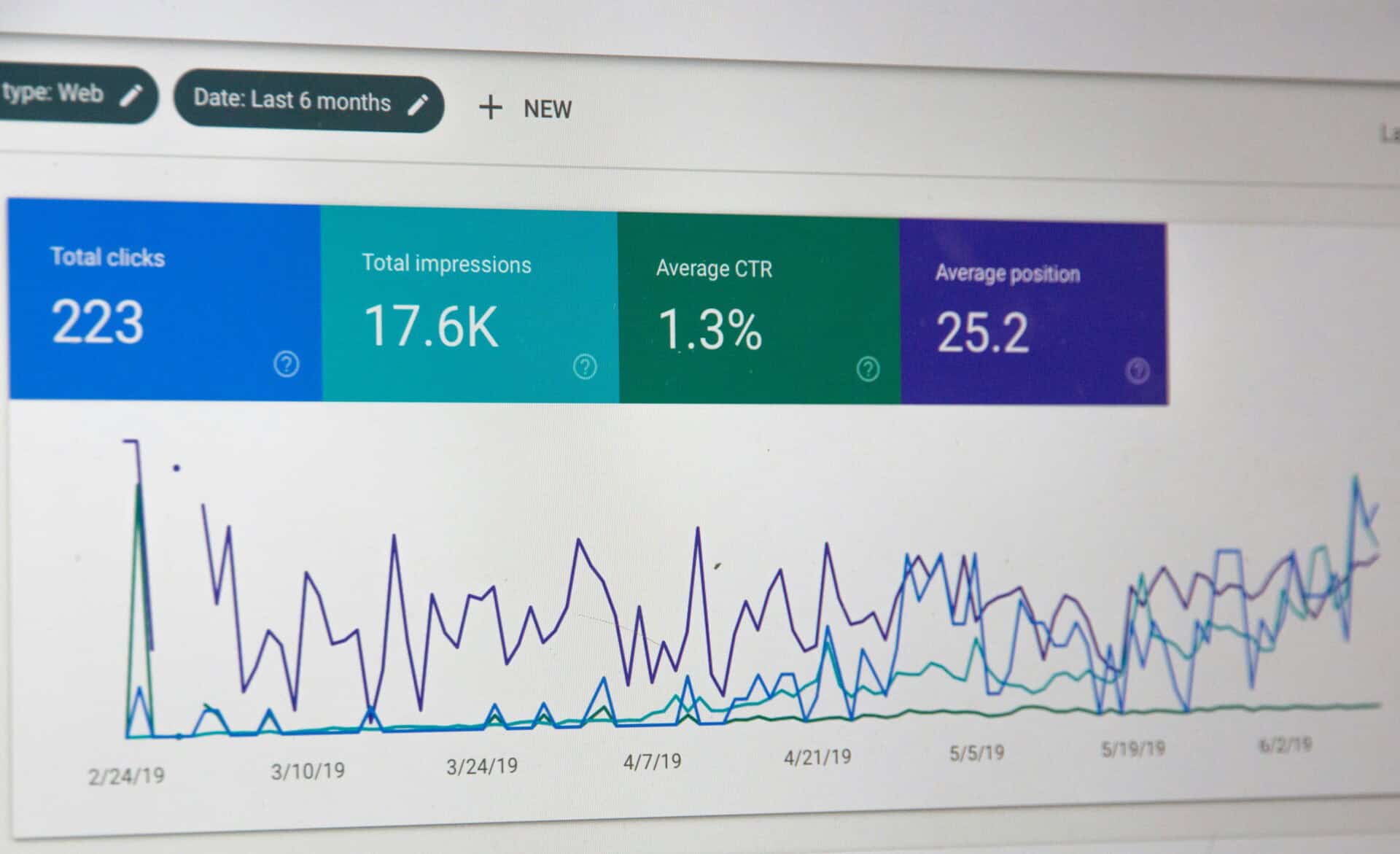
ChatGPT is helpful for getting a quick overview, but it works even better when you pair it with real website tools. Each one gives you a different angle of what’s going on with your site.
- Google Search Console: Shows how your site is performing in Google search. It helps you spot indexing issues, see what keywords you rank for, and check if Google is having trouble reading your pages.
- PageSpeed Insights: Focuses on how fast your website loads and how it performs on mobile. It also gives simple suggestions to help you speed things up.
- Google Analytics: Shows how people actually use your website. What pages they visit, how long they stay, and where they drop off.
- Ahrefs or Semrush: Useful for checking backlinks, keyword rankings, and what your competitors are doing. It gives you a clearer picture of your SEO position.
Conclusion
Getting feedback from AI tools like ChatGPT can be a helpful first step, especially when you’re trying to figure out what might be wrong with your website. If you’ve found yourself saying “ChatGPT scanned my website and found a bunch of issues,” you’re not alone. The real progress happens when you start addressing those issues in a clear and practical way.
If things start feeling too technical or time-consuming, getting the right support can make a big difference. At SetmySite, we offer ongoing website support plans that help take care of these issues for you. We help you keep your site updated, fast, and working properly without the stress of managing everything on your own.
If you need help fixing or maintaining your website, feel free to reach out to us.