


Choosing the right WordPress hosting company can affect your website’s speed, reliability, security, and overall performance. However, not every hosting provider offers the same features, support, or pricing.
Some companies offer affordable plans for beginners, while others specialize in managed WordPress hosting for businesses with more demanding website requirements. The right choice depends on your website’s needs, budget, traffic, and plans for growth.
In this guide, we’ll compare 10 of the best WordPress hosting companies in 2026. You’ll learn what each provider offers, what makes it different, and which types of websites may benefit from its services. We’ll also explain the main types of WordPress hosting and what to check before choosing a plan.
Quick Comparison of the Best WordPress Hosting Companies
|
Hosting provider |
Best for |
Main advantage |
Hosting type |
| Bluehost |
Beginners |
Simple WordPress setup |
Shared and WordPress hosting |
| SiteGround |
Small businesses |
WordPress management and performance tools |
Shared, cloud, and WordPress hosting |
| Hostinger |
Budget-conscious users |
Affordable entry-level plans |
Shared, cloud, and WordPress hosting |
| WP Engine |
Businesses and agencies |
Managed WordPress tools |
Managed WordPress hosting |
| Kinsta |
Growing websites |
Premium managed hosting infrastructure |
Managed WordPress hosting |
| DreamHost |
Bloggers and personal websites |
Different hosting options |
Shared and managed WordPress hosting |
| HostGator |
General-purpose websites |
Range of hosting plans |
Shared, VPS, and other hosting types |
| WordPress.com |
Content creators and beginners |
Hosting and website tools in one platform |
Hosted WordPress platform |
| Hosting.com |
Performance-focused users |
Performance-oriented hosting options |
WordPress and other hosting types |
| Cloudways |
Developers and growing businesses |
Flexible cloud infrastructure |
Managed cloud hosting |
The best option depends on your website’s requirements, budget, and technical needs. Use this table as a starting point, then compare the features and limitations of each provider below.
What is WordPress Hosting?
WordPress hosting is a web hosting service designed to support websites built with WordPress. Like other hosting services, it provides the server space and resources needed to store your website’s files, databases, images, and other content.
When someone visits your website, the hosting server processes their request and delivers the pages to the browser.
While you can run WordPress on standard web hosting, some providers offer plans specifically optimized for the platform. These plans may include WordPress installation tools, automatic updates, server-level caching, security features, and technical support.
There are two common approaches to WordPress hosting:
- Shared hosting: Your website shares server resources with other websites. This is usually an affordable option for smaller websites and beginners.
- Managed WordPress hosting: The hosting provider handles some technical tasks, such as updates, backups, security monitoring, and performance optimization.
Some hosting companies also offer VPS and cloud hosting environments that can run WordPress websites. These options provide different levels of server resources, flexibility, and management. The right choice depends on how much control you need and how much technical work you’re prepared to handle.
What to Look for When Choosing a WordPress Hosting Company
Before comparing hosting providers, it helps to know which features matter most. A low monthly price might look appealing, but it won’t necessarily provide everything your website needs.
Here are some factors to consider when choosing a WordPress hosting company.
Website speed and performance
Website speed affects how visitors experience your site. Slow-loading pages can frustrate users, increase the likelihood that they leave, and make it harder for them to complete actions such as submitting a form or purchasing a product.
Look for a hosting provider with reliable server infrastructure, sufficient resources, and performance optimization features. Some features worth checking include:
- SSD or NVMe storage for faster data access
- Server-level caching to reduce processing time
- CDN integration to deliver website content from servers closer to visitors
- Updated PHP versions and supported database technologies
- Adequate server resources for your website’s traffic
Your hosting location also matters. Choosing a server close to your target audience can help reduce latency and improve loading times.
Uptime and reliability
Uptime refers to the amount of time your website remains accessible to visitors. If your website frequently goes offline, customers may struggle to access your services, read your content, or complete purchases.
Many hosting companies advertise uptime guarantees, often around 99.9% or higher. However, an advertised guarantee is not the same as independently measured performance.
Check the provider’s uptime policy, monitoring tools, and compensation terms for service interruptions. It’s also worth looking at customer reviews to see whether users report frequent downtime or server problems.
Security features
Your hosting provider plays an important role in protecting your website. Look for services that include basic security features such as:
- Free SSL certificates
- Server firewalls
- Malware scanning
- DDoS protection
- Secure server configurations
- Automatic backups and restoration options
These features help reduce security risks, but they don’t replace good WordPress security practices. You should still use strong passwords, limit administrator access, and keep WordPress, themes, and plugins updated.
Customer support
Technical problems can happen even with a reliable hosting provider. When they do, accessible customer support can help you resolve issues before they affect your visitors for too long.
Check whether the provider offers 24/7 support through live chat, phone, or email. You should also find out whether its support team handles WordPress-specific issues or only server-related problems.
Some managed hosting providers offer more specialized WordPress assistance, which can be helpful if you don’t have much technical experience.
Pricing and hosting plans
Don’t choose a hosting company based only on its advertised introductory price. Some providers offer discounted rates when customers pay for several years upfront, while renewal prices can be considerably higher.
Compare the following before signing up:
- Initial subscription price
- Renewal price
- Billing period and upfront payment
- Storage and bandwidth limits
- Number of websites allowed
- Backup and migration costs
- Additional security or performance features
A slightly more expensive plan may offer better value if it includes services that would otherwise require separate subscriptions.
Scalability and ease of use
Your website may start small, but its hosting requirements can change as traffic increases. Choose a provider that allows you to upgrade your plan without moving your entire website to another company.
A user-friendly dashboard, one-click WordPress installation, staging environments, and migration tools can also make website management easier.
Additional reading: Monthly Website Maintenance Plans: What Businesses Should Look For
10 Best WordPress Hosting Companies in 2026

The following providers offer different hosting options for WordPress websites. Some are suitable for beginners looking for affordable plans, while others focus on managed hosting, performance, and scalability.
The best choice will depend on your website’s needs rather than the provider’s popularity alone.
1. Bluehost
Bluehost is a popular hosting provider often recommended to people building their first WordPress website. Its hosting plans include tools designed to simplify website setup, making it easier for beginners to get started.
Users can access WordPress installation features, SSL certificates, and a hosting dashboard for managing their websites. Depending on the selected plan, additional features may include staging tools, backups, and performance resources.
Pros:
- Beginner-friendly setup
- Multiple hosting options
- WordPress-focused tools and resources
Cons:
- Renewal prices may be higher than introductory rates
- Some features are limited to higher-tier plans
- Backup frequency and included resources vary by plan
Best for: Beginners, bloggers, and small business owners who want an accessible way to launch a WordPress website.
2. SiteGround

SiteGround is known for its managed WordPress hosting features, performance tools, and customer support. Its infrastructure uses Google Cloud, while its hosting platform includes tools designed to improve website speed and security.
Its WordPress plan offers features such as automatic updates, SSL certificates, daily backups, and caching. Higher-tier plans also provide staging tools and additional resources for managing growing websites.
Pros:
- Strong selection of WordPress management tools
- Daily backups included
- Useful performance and security features
Cons:
- Renewal rates can be significantly higher than introductory prices
- Entry-level plans have resource limitations
- Some advanced tools require higher-tier subscriptions
Best for: Small businesses, bloggers, and website owners who want managed hosting features without moving to a premium hosting service.
3. Hostinger
Hostinger is a budget-friendly hosting provider offering shared, cloud, and managed WordPress hosting options. It is a popular choice for individuals and businesses looking for affordable hosting without giving up useful website management tools.
Its platform includes a custom control panel, WordPress installation tools, SSL certificates, and performance features. Depending on the plan, users may also receive automatic backups, staging environments, and additional WordPress tools.
Hostinger uses LiteSpeed technology on supported hosting plans, which can help improve website performance.
Pros:
- Competitive introductory pricing
- Easy-to-use control panel
- Suitable for multiple website types
- Useful features for beginners
Cons:
- Renewal rates are higher than introductory prices
- Some advanced features require higher-tier plans
- Support options and resources depend on the subscription
Best for: Beginners, freelancers, bloggers, and small businesses looking for affordable WordPress hosting
4. WP Engine
WP Engine specializes in managed WordPress hosting. Unlike basic shared hosting providers, it focuses on websites that need additional performance, security, and technical management.
Its platform includes features such as automatic backups, staging environments, development tools, and WordPress-specific support. These services can reduce the amount of technical work website owners need to handle themselves.
WP Engine also offers tools for developers and agencies managing multiple WordPress websites.
Pros:
- Designed specifically for WordPress
- Useful tools for developers and agencies
- Managed security and backup features
- Suitable for business-critical websites
Cons:
- More expensive than many shared hosting plans
- Some resource limits apply depending on the subscription
- May offer more features than smaller websites need
Best for: Business, developers, and agencies that need premium managed WordPress hosting
5. Kinsta
Kinsta is another premium managed WordPress hosting provider. It uses Google Cloud infrastructure and focuses on website performance, security, and scalability.
Its hosting platform includes automatic backups, staging environments, malware protection, and performance monitoring tools. Users can also manage their websites through MyKinsta, the company’s custom hosting dashboard.
Kinsta is particularly useful for websites that receive consistent traffic or need additional hosting resources as they grow.
Pros:
- Performance-focused hosting infrastructure
- Managed WordPress security features
- User-friendly hosting dashboard
- Scalable plans for growing websites
Cons:
- Higher starting prices than budget hosting providers
- Plans have website, storage, and traffic limits
- May not be cost-effective for small personal websites
Best for: Growing businesses, high-traffic websites, and website owners who want premium managed WordPress hosting
6. DreamHost
DreamHost offers several hosting services, including shared WordPress hosting and managed WordPress hosting through its DreamPress plans.
Its services are designed for individuals and businesses that want a straightforward hosting experience. Depending on the selected plan, users can access WordPress installation tools, SSL certificates, backups, and staging features.
DreamHost also offers domain registration and other website-related services, making it possible to manage several parts of a website setup through one provider.
Pros:
- Multiple hosting options
- Beginner-friendly setup
- Suitable for blogs and small business websites
- Managed hosting available for growing websites
Cons:
- Advanced features may require DreamPress subscriptions
- Support availability varies by channel and plan
- Hosting resources depend on the selected package
Best for: Bloggers, freelancers, and small businesses looking for flexible WordPress hosting options
7. HostGator
HostGator provides shared, WordPress, VPS, and dedicated hosting services. Its different hosting options make it suitable for website owners with varying levels of experience and technical requirements.
Its WordPress hosting plans include features such as WordPress installation, SSL certificates, and website management tools. Some plans also provide additional security and performance resources.
HostGator is worth considering if you want a familiar hosting platform with several upgrade options as your website grows.
Pros:
- Wide selection of hosting services
- Suitable for different website sizes
- Beginner-friendly setup
- Upgrade options available
Cons:
- Renewal pricing may be higher than introductory rates
- Features vary between hosting plans
- Some advanced tools require additional subscriptions
Best for: Individuals and small businesses looking for a general hosting provider with several WordPress-compatible options
8. WordPress.com
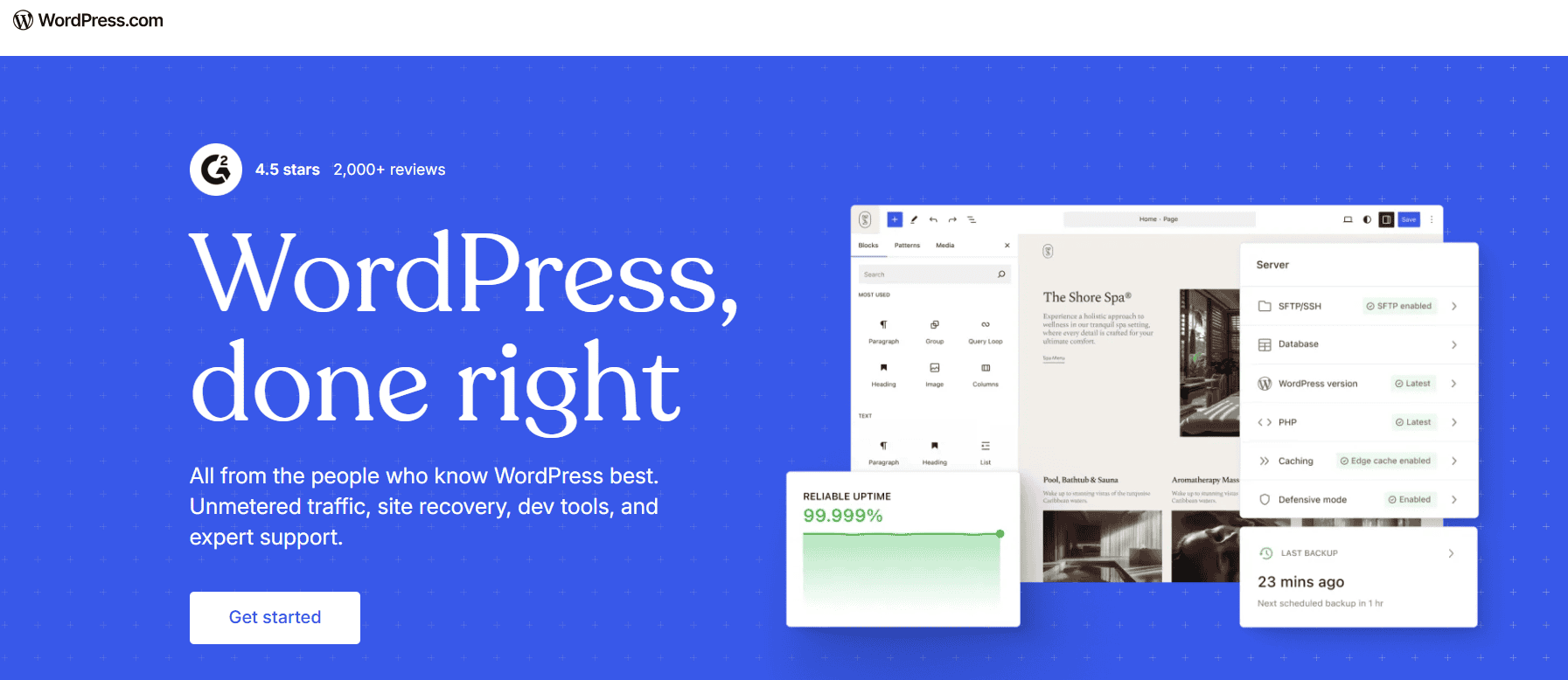
WordPress.com provides an all-in-one platform that combines website hosting with WordPress tools and management features. Unlike traditional self-hosted WordPress setups, users don’t need to arrange a separate hosting account.
The platform handles much of the technical infrastructure, allowing users to focus on building and managing their websites.
Its plans offer different levels of customization, storage, security, and support. Higher-tier subscriptions provide additional features, including access to more plugins and advanced website management tools.
Pros:
- Easy website setup
- Hosting and website management in one platform
- Less server maintenance for website owners
- Suitable for beginners and content creators
Cons:
- Features depend on the selected plan
- Advanced customization may require a higher-tier subscription
- Less control over the hosting environment than some self-hosted options
Best for: Bloggers, content creators, and business owners who prefer an all-in-one WordPress platform
9. Hosting.com
Hosting.com, formerly known as A2 Hosting, offers web hosting services with a focus on performance and speed. Its services include WordPress hosting options designed for different website requirements.
The company offers hosting environments with performance-focused server technology, caching options, and security features. Depending on the plan, users can also access backups, SSL certificates, and website migration assistance.
When comparing this provider with other hosting companies, check its current plan details and included resources, as its branding and service offerings have changed.
Pros:
- Performance-focused hosting options
- Multiple hosting plans
- Suitable for different website requirements
- WordPress-compatible services
Cons:
- Current plan details may differ from older A2 Hosting reviews
- Pricing and included features vary by subscription
- Some advanced resources may require higher-tier plans
Best for: Website owners looking for performance-focused hosting with different upgrade options
10. Cloudways

Cloudways offers managed cloud hosting for WordPress and other web applications. Rather than relying on a single shared hosting environment, users can choose cloud infrastructure from providers such as DigitalOcean, Vultr, Linode, AWS, and Google Cloud.
The platform manages much of the server administration while giving users more flexibility over their hosting resources.
Its features include automated backups, server monitoring, caching, staging environments, and security tools. Cloudways also offers pay-as-you-go pricing on supported configurations.
Pros:
- Flexible cloud hosting options
- Scalable resources
- Useful tools for developers
- Pay-as-you-go pricing on supported plans
Cons:
- Less beginner-friendly than traditional shared hosting
- No standard cPanel experience
- Email hosting and domain registration may require separate services
Best for: Developers, agencies, and growing businesses that need more control over their hosting environment
Shared vs. Managed vs. VPS vs. Cloud WordPress Hosting
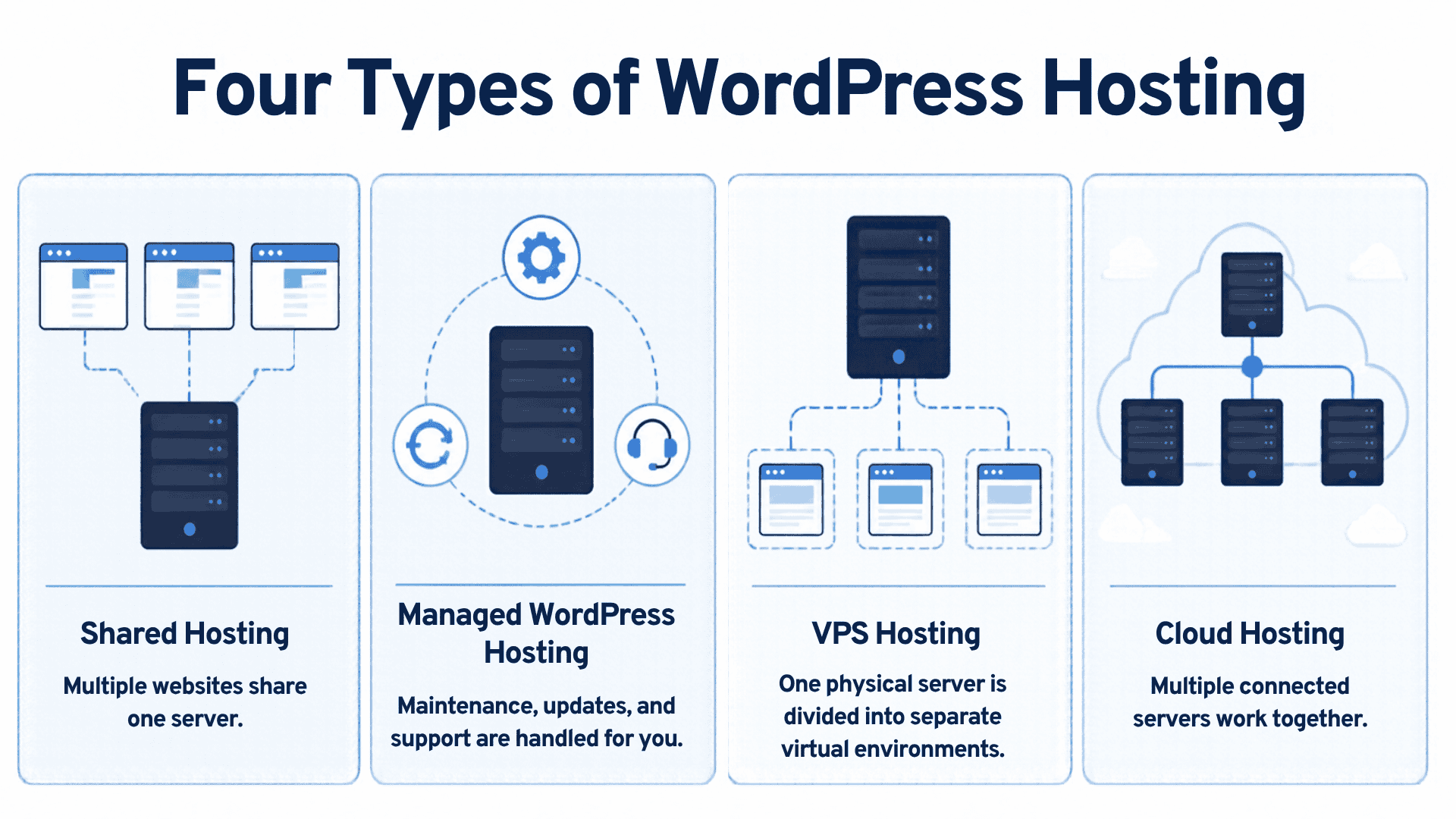
The hosting providers above offer different types of services. Understanding how these options work can help you decide which one makes sense for your website.
Shared WordPress hosting
Shared hosting allows multiple websites to use resources from the same physical server. This helps providers keep costs low, making it an affordable option for smaller websites.
It’s generally suitable for blogs, portfolio websites, and small business websites with moderate traffic.
However, server resources are shared. If a website on the same server experiences a sudden increase in traffic or uses too many resources, it may affect the performance of other websites.
Best for: Beginners, personal blogs, and small websites with limited hosting requirements
Managed WordPress hosting
Managed WordPress hosting is designed to reduce the technical work involved in running a WordPress website.
The provider handles certain maintenance tasks, which may include automatic updates, backups, security monitoring, and server optimization. The exact services depend on the company and subscription.
This option can be useful for business owners who want to focus on their website content and operations instead of managing server-related tasks.
However, managed hosting doesn’t necessarily mean every aspect of website maintenance is covered. Plugin conflicts, content changes, custom functionality, and design issues may still require separate assistance.
Best for: Businesses, agencies, and website owners who want additional technical support
VPS WordPress hosting
Virtual Private Server (VPS) hosting provides a dedicated portion of a physical server’s resources to your website through virtualization.
Unlike shared hosting, your website receives allocated resources that aren’t shared in the same way with other accounts. This can provide better performance and more control over the hosting environment.
VPS hosting is often suitable for websites that have outgrown shared hosting. However, managing a VPS can require more technical knowledge, especially if the provider doesn’t handle server administration.
Best for: Growing websites, developers, and businesses that need more control over server resources
Cloud WordPress hosting
Cloud hosting uses a network of connected servers to provide hosting resources. Depending on the provider, this setup can offer greater flexibility and scalability than traditional hosting environments.
For example, a website experiencing increased traffic may be able to use additional resources without requiring a complete migration to another server.
Cloud hosting can be a good option for businesses with changing traffic levels or websites that need more flexibility. However, pricing and server management requirements vary between providers.
Best for: Growing businesses, high-traffic websites, and developers who need flexible hosting resources.
Need help managing your WordPress website?
Choosing a reliable hosting provider is a great first step, but your website still needs regular updates, security checks, and ongoing maintenance. SetMySite offers WordPress maintenance and support services to help keep your website running smoothly. Explore our support plans and find the right level of help for your site.
Why Choosing the Right Hosting Provider Isn’t Enough
Choosing a reliable hosting provider gives your WordPress website a good foundation, but it doesn’t guarantee that your site will always perform well.
Your hosting company manages the server environment, but your website’s performance also depends on how you manage WordPress itself. Outdated plugins, large image files, unnecessary scripts, poorly optimized pages, and incompatible themes can affect speed, security, and functionality.
That’s why choosing a hosting plan should go hand in hand with regular WordPress maintenance.
Keep WordPress, themes, and plugins updated
WordPress regularly releases updates to improve functionality, fix bugs, and address security issues. Themes and plugins also receive updates from their developers.
Installing updates helps keep your website compatible with newer software and reduces the risk of security vulnerabilities.
However, updates can sometimes cause compatibility issues. It’s a good idea to back up your website and test important changes before applying them to your live site.
Perform regular website backups
Backups give you a recovery point if something goes wrong with your website. This can happen because of a failed update, accidental deletion, malware infection, or server problem.
Although many hosting updates include automatic backups, you should check how frequently they run, how long backups are stored, and whether you can restore them easily.
Keeping an additional backup outside your hosting account can provide another layer of protection.
Monitor website security
Website security requires more than an SSL certificate. You should regularly check for malware, suspicious activity, outdated software, and unauthorized access.
Using strong passwords, limiting administrator accounts, and installing reputable security tools can help protect your website.
Regular security checks can also help identify slow-loading pages and other performance issues. Uptime monitoring can also alert you when your website becomes unavailable.
Addressing these problems early can help prevent a poor visitor experience and reduce disruptions to your business.
Fix errors and technical issues
Broken links, contact form problems, plugin conflicts, and layout issues can affect how visitors use your website.
Even small errors can make a business appear less professional or prevent customers from completing important actions.
Regular website checks and timely troubleshooting help keep everything working as expected.
Keeping a WordPress website running smoothly takes more than good hosting. Regular updates, security checks, fixes, and other website tasks also need attention.
Let SetMySite handle your WordPress maintenance
Don’t let website updates, technical issues, and routine maintenance take time away from running your business. With our WordPress maintenance and support services, you can get help keeping your website secure, updated, and working properly.
Frequently Asked Questions (FAQs) About WordPress Hosting
What is the best hosting company for WordPress in 2026?
The best WordPress hosting company depends on your website’s needs and budget. Bluehost and Hostinger are worth considering for beginners and budget-conscious users, while SiteGround, WP Engine, and Kinsta offer different managed hosting features. Compare their plans, performance features, and support options before making a decision.
How much does WordPress hosting cost?
WordPress hosting costs vary depending on the provider, hosting type, and subscription. Shared hosting is generally more affordable than premium managed WordPress or cloud hosting. When comparing prices, check both the introductory rate and renewal cost, along with the features included in each plan.
Does managed WordPress hosting include website maintenance?
Not necessarily. Managed WordPress hosting may include server management, backups, updates, and security monitoring, depending on the plan. However, it may not cover content edits, design changes, plugin troubleshooting, or other website updates. If you need help with these tasks, a separate WordPress maintenance service may be useful.
Read more: How to Take WordPress Out of Maintenance Mode
Final Thoughts: Choosing the Best WordPress Hosting Company in 2026
Choosing the best WordPress hosting companies comes down to finding a provider that fits your website’s needs, budget, and technical requirements. Some hosting services are designed for beginners and smaller websites, while others offer managed WordPress hosting and flexible resources for growing businesses.
Before signing up, compare more than just the advertised price. Look at server performance, security features, backup policies, customer support, renewal costs, and the resources included in each plan. These details can help you choose a hosting service that supports your website as it grows.
Remember that reliable hosting is only one part of maintaining a WordPress website. Regular updates, backups, security checks, and performance monitoring also help keep your site secure and functional.
Ready to spend less time dealing with website issues? Let us help you find the right support for your business. Contact us today!