

When comparing uptime monitoring vs. visual monitoring, it’s important to understand that your website can look fine one day and have a problem the next. A server issue could take the entire site offline. A plugin update could break part of a page. An important image could disappear, or a button could stop showing up where it should.
The tricky part is that not every website problem causes downtime.
Your website might still load when someone visits it, but that does not always mean everything is working as it should. This is where website monitoring can help.
Two common types of monitoring are uptime monitoring and visual monitoring. While they both help you keep an eye on your website, they look for different types of problems.
So, when it comes to uptime monitoring vs. visual monitoring, which one does your website need? The answer depends on what you want to monitor. For many businesses, using both can provide more complete coverage.
What is Uptime Monitoring?
Uptime monitoring is a way to check whether your website is online and accessible to visitors.
A monitoring service checks your website at regular intervals. If it detects that the site is unavailable or returning an error, it can send an alert to you or your website support team.
For example, imagine a customer tries to visit your website at 2 a.m. but gets an error message instead. Without uptime monitoring, you may not find out until the next morning, when you notice that your website is not working.
With uptime monitoring, an automated check can detect the outage and notify someone much sooner. Depending on the monitoring service, checks may happen every few minutes or at another set interval.
What can uptime monitoring detect?
Uptime monitoring is mainly focused on website availability. It can help identify problems such as:
- Server outages
- Hosting problems
- DNS issues
- Connection errors
- Server errors
- Unexpected website downtime
The exact issues a monitoring service can detect depend on how it is configured. The main question uptime monitoring answers is simple:
“Is my website available right now?”
That question matters because even a short period of downtime can affect your business. If customers cannot access your website, they may not be able to contact you, make a purchase, book an appointment, or learn more about your services.
Why is uptime monitoring important?
Website downtime can happen for many reasons, and it is not always something you can predict.
A hosting problem, server failure, DNS issue, software conflict, or unexpected technical error can take a website offline. Even websites that are normally reliable can experience problems.
The longer an outage lasts, the more visitors may be affected.
For an online store, downtime could mean missed sales. For a service business, it could mean lost leads or missed inquiries. For a company that uses its website as its main source of information, visitors may simply leave and try another website.
Uptime monitoring helps reduce the time between a problem happening and someone becoming aware of it. It is important, though, to remember that monitoring does not fix the problem by itself. It tells you that something may be wrong. Someone still needs to investigate and resolve the issue.
What is Visual Monitoring?
Visual monitoring takes a different approach. Instead of simply checking whether your website is accessible, visual monitoring checks how a webpage looks and whether it has changed.
A visual monitoring service can take screenshots of selected pages and compare them with previous versions. If something changes unexpectedly, it can alert you. This can be useful because a website can be online while still having a visible problem.
For example, your homepage might load normally, but a recent update could have caused your hero image to disappear. Your contact page may still be accessible, but an important button could have moved or disappeared.
From an uptime perspective, the website is working. From a visitor’s perspective, there’s still a problem.
What can visual monitoring detect?
Visual monitoring can help identify unexpected changes such as:
- Missing images
- Changes to page layouts
- Disappearing buttons
- Misaligned sections
- Changes to text
- Missing website elements
- Broken design elements
- Unexpected changes after website updates
This can be especially useful for important pages such as your homepage, service pages, landing pages, pricing pages, and other pages that receive regular traffic.
The main question visual monitoring helps answer is:
“Does my website still look the way it is supposed to?”
That is a different question from uptime monitoring, but it can be just as useful.
Uptime Monitoring vs Visual Monitoring: What’s the Difference?
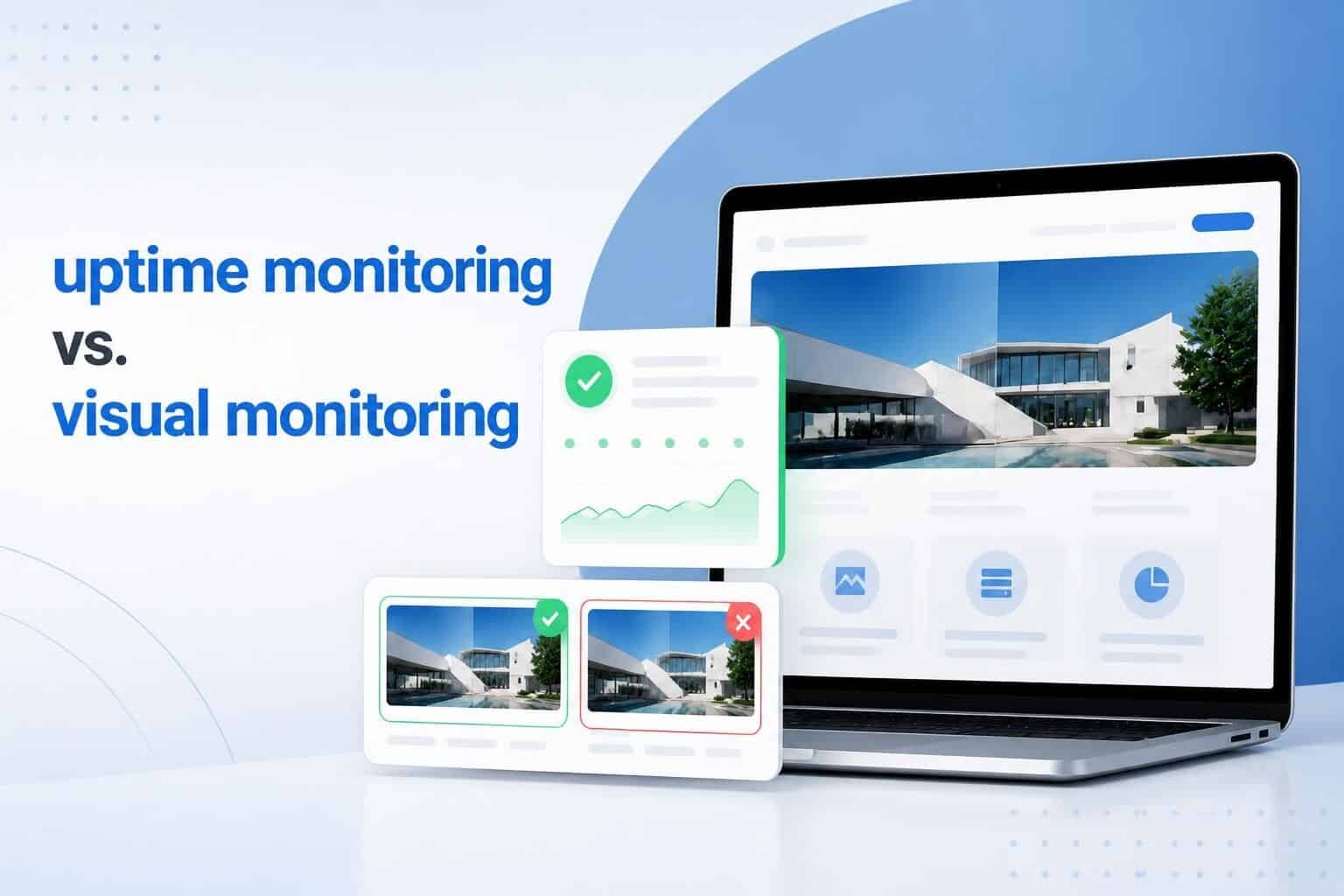
The easiest way to understand the difference is to think about what each type of monitoring is looking for.
Uptime monitoring checks website availability. Visual monitoring checks website appearance and changes.
Here is a simple comparison:
| Feature | Uptime monitoring | Visual monitoring |
| Checks if the website is accessible |
Yes |
Not its main purpose |
| Detects website downtime |
Yes |
Not its main purpose |
| Checks page appearance |
No |
Yes |
| Detects visual changes |
No |
Yes |
| Detects missing page elements |
Limited |
Yes |
| Helps identify server issues |
Yes |
Limited |
| Focuses on the visitor experience |
Indirectly |
Directly |
Neither type of monitoring is necessarily better than the other. They simply monitor different things.
Think of uptime monitoring as checking whether the door to your business is open. Visual monitoring checks what customers see once they walk through the door.
You need the first one to know that people can get in. You need the second one to make sure what they see inside is still working as expected.
Additional reading: Ongoing Site Maintenance: What It Is and Why It Matters for Businesses
Can a website be up but still have problems?
Yes.
This is one of the most important things to understand when comparing uptime monitoring and visual monitoring. A website can return a normal response and still have issues that affect visitors.
For example, suppose your homepage has a large banner with a call-to-action button. After a website update, the button disappears.
The website still loads. Your uptime monitoring service may report everything as normal. But visitors can no longer see the button.
Now imagine that your contact form is supposed to appear halfway down your contact page. A plugin update causes the form to stop displaying.
Again, the page itself loads.
Your website is technically online, but a key part of the page is no longer doing its job. The same thing can happen with images, pages, sections, menus, text, and other visual elements. This is why uptime alone does not always give you the full picture of your website’s health.
When is Uptime Monitoring More Useful?
Uptime monitoring can be a good starting point for almost any business website.
If your main concern is knowing when your website goes offline, uptime monitoring can give you that extra layer of awareness. It may be particularly useful if:
- Your website generates leads or sales
- Customers rely on your website for information
- You run an online store
- Your business operates around the clock
- You want to know about outages as soon as possible
- You do not regularly check your website yourself
For a business that depends heavily on its website, finding out about downtime hours after it happens is not ideal. An alert gives you a chance to respond sooner.
When is Visual Monitoring More Useful?
Visual monitoring becomes more valuable when you want to know about changes to important pages. It can be useful for websites that have frequent updates, multiple people making changes, or pages that are particularly important to conversions.
For example, you may want to monitor:
- Your homepage
- Lead generation landing pages
- Service pages
- Pricing pages
- Product pages
- Contact pages
- High-traffic blog pages
Visual monitoring can help you spot unexpected changes without having to manually compare your pages every day. It can also be useful after making changes to your website.
A WordPress update, plugin update, theme change, or content edit can sometimes have unexpected effects. Even when the person making the update does everything correctly, websites can behave differently after changes are made.
Visual monitoring gives you another way to catch those changes.
What If Your Website Needs Both?
For many businesses, the choice does not have to be uptime monitoring vs. visual monitoring.
You can use both. The two types of monitoring cover different areas of website health.
Uptime monitoring can tell you when the website becomes unavailable. Visual monitoring can help identify unexpected changes to the pages visitors see.
Together, they provide a broader view.
For example, imagine that your website experiences a server issue overnight. Uptime monitoring can alert your support team that the website is unavailable.
Later, your website comes back online, but one of the updates made during the recovery causes a section of the homepage to display incorrectly. Uptime monitoring may show that the website is back online. Visual monitoring may catch the change to the page.
This is why businesses that rely heavily on their websites may benefit from having more than one type of monitoring in place.
Monitoring is only one part of website management
There is one important thing to remember about website monitoring: finding a problem is not the same as fixing it.
An alert can tell you that your website is down. It cannot automatically tell you why it happened or handle every step needed to fix it.
The same applies to visual changes.
If monitoring detects that a page looks different, someone still needs to investigate what changed and determine whether it was intentional. This is where ongoing website management and support can make a difference.
A website support manager can help investigate monitoring alerts, troubleshoot issues, perform updates, and keep your website running properly. Depending on the needs of your website, ongoing support may include tasks such as:
- WordPress updates
- Website backups
- Security monitoring
- Malware scans
- Uptime monitoring
- Website troubleshooting
- Content updates
- Performance checks
- Fixing website errors
- Monitoring important website pages
Instead of waiting until a visitor reports a problem, you can have systems in place to help identify issues sooner.
If you want someone to handle the monitoring and the day-to-day work that comes with keeping a website running, we can help. Our website support team can monitor your site, handle updates, and step in when something goes wrong. Don’t wait. Reach out to us today to find out more about what we offer.
Website Support Plans from SetMySite

If you do not want to handle website monitoring and maintenance yourself, we’ve got a solution for you. All three website support plans include uptime and visual monitoring, so your website can be checked for both downtime and unexpected changes.
Check out our plans here:
Upkeep
The Upkeep plan is a good option if you mainly need help with regular website maintenance. It includes uptime monitoring every 60 minutes and visual monitoring for one page.
The plan also includes daily WordPress updates, daily backups, malware scans, a security firewall, and 24/7 emergency care.
Webmaster
The Webmaster plan gives you more support time and covers more of your website. Uptime monitoring runs every 30 minutes, while visual monitoring covers three pages.
You also get phone and video support, screen sharing, and help with features such as simple eCommerce and event functions.
Advanced
The Advanced plan is made for websites that need more hands-on support. It includes uptime monitoring every minute and visual monitoring for up to five pages.
It also covers more complex needs, including eCommerce, membership websites, complex integrations, multilingual websites, and custom development.
All three plans include regular website maintenance and security features, so you have someone keeping an eye on your website instead of having to check everything yourself.
If your website is important to your business, having both monitoring and ongoing support can save you time and help you catch problems before they become bigger issues.
How to Choose the Right Monitoring for Your Website
The right type of monitoring depends on what you want to track. Some websites may only need uptime monitoring, while others can benefit from visual monitoring too.
Here is how to decide which option makes sense for your website.
Uptime monitoring may be right for you if:
- Your website needs to be available at all times
- You are mainly concerned about website outages.
- You do not have time to check your website regularly.
Visual monitoring may be right for you if:
- Your website is updated often
- You have important pages that need to look right
- You want to catch problems that do not cause downtime.
You may want both if:
- Your website is an important part of your business
- Your website has many moving parts
- You want someone else to monitor your website
Read more: WordPress Support Agency: How to Choose the Right Partner for Your Website
Uptime Monitoring vs. Visual Monitoring: Which One Does Your Website Need?
So, which type of monitoring does your website need?
It depends on what you want to keep track of. Uptime monitoring is useful if you mainly want to know when your website goes offline. Visual monitoring can help you catch changes to how your pages look, even when the website is still online.
For many websites, using both can be a good option. One checks whether your website is available, while the other helps you spot changes that could affect the way visitors see and use your site.
Still, monitoring is only part of keeping a website in good shape. Your website also needs regular updates, security checks, backups, and maintenance. If something goes wrong, you need someone who can look into the problem and fix it.
Need help keeping your website in good shape?
You do not have to handle website monitoring and maintenance on your own. A website management team can oversee your site, handle regular maintenance, and help when something goes wrong. Contact us today to see how we can help your website run smoothly.