


AI website builders can now create a full website design in just a few minutes. If you’re looking to convert AI-generated website prototype into a real website, this speed can feel like a huge advantage. You get layouts, colors, fonts, sections, and even sample text almost instantly. At first glance, it can feel like the website is already done.
But here’s the truth most people realize too late. What AI gives you is not a finished website. It’s just a rough draft that looks finished.
Think of it like a blueprint of a house. It might look great on paper, but you can’t live in it yet. It still needs structure, wiring, plumbing, and everything that makes it usable in real life.
An AI-generated website usually has the design part figured out, but it’s missing the things that actually make it work: functionality, proper performance, integrations, and everything behind the scenes that users never see but always feel. And that’s where most projects get stuck.
In this guide, you’ll see exactly how to take that AI-generated prototype and turn it into a real, working website. Step-by-step. From cleaning up the design to adding real features, improving speed, and getting it ready to launch without issues.
What an AI-Generated Website Prototype Actually Is
An AI-generated website prototype is a visual or semi-functional draft created by artificial intelligence tools. These tools are trained to assemble layouts based on patterns from existing websites.
Typically, these prototypes include:
- Homepage layout with pre-designed sections
- Placeholder text and images
- Basic navigation menus
- Suggested color schemes and typography
- Static page structures
While these elements create a polished appearance, they do not represent a working website. What’s missing is everything that makes a website functional:
- Server-side functionality
- Database connections
- Content management systems
- Interactive features (forms, logins, dashboards)
- Performance optimization
- Security layers
In short, AI gives you the “look” of a website, but not the infrastructure behind it.
Key Differences Between a Prototype and a Real Website
Before you convert AI-generated website prototype into a real website, it helps to understand one simple truth: what looks “done” on screen is usually not ready for real users yet. There’s a big gap between something that looks good and something that actually works online.
Here’s where that gap shows up the most:
Visual design vs. functional system
A prototype is mostly about appearance. It shows you how the website could look. Layout, colors, spacing, and overall style. That’s it. A real website goes a step further. It’s not just about how things look, but how everything actually works when someone clicks, scrolls, or interacts with it. This is where static visuals get turned into real, working components that respond to users in real time.
Static content vs dynamic content
In most AI prototypes, the text and images are just placeholders. They’re fixed and don’t really “do” anything. A real website is different. Content is usually powered by a CMS or database, which means it can be updated anytime without rebuilding the whole page. So instead of hard-coded sections, you get a system that can grow and change with the business.
Local preview vs live environment
An AI prototype usually runs in preview mode. It’s something you view on your screen, but it’s not actually hosted for the public. A real website, on the other hand, lives on a server. It’s connected to a domain name and can be accessed by anyone, anywhere in the world. That shift alone introduces a lot of technical work most people don’t see at first.
Limited interaction vs user engagement
In a prototype, buttons might look clickable, forms might be there, and even checkout sections might exist. But they often don’t actually work. A real website needs all of that to function properly. Forms need to send data somewhere, logins need authentication, and carts need to process transactions safely. This is where backend development becomes essential, because everything has to work beyond just the surface level.
Design idealism vs real-world constraints
AI-generated designs often assume everything can be perfect. Fast loading, large images, complex layouts, and heavy visuals all at once. But real websites operate under limitations. Speed matters. Mobile performance matters. SEO structure matters. And too much design complexity can actually hurt results. A real build is always about balance. Keeping the design clean while making sure the site loads fast, ranks well, and works smoothly on all devices.
Planning the Conversion Process

Before touching any code or redesigning anything, it’s worth slowing down for a moment and planning things properly. This step is often skipped, but it’s usually the difference between a smooth build and a messy one later on.
When you already have an AI-generated prototype, it’s tempting to jump straight into “fixing” things. But without a clear plan, you end up rebuilding blindly instead of building with purpose. Here’s what you should do:
Review the AI prototype
Start by going through the prototype piece by piece, almost like you’re unpacking it. Break it down into smaller parts:
- Pages like Home, About, Services, Contact, and others
- Individual sections inside each page (hero, features, testimonials, etc.)
- Any interactive elements like buttons, forms, or sliders
- The overall visual structure and flow of the layout
This step helps you see what’s actually usable and what only looks good on the surface. Some parts of the AI design might be solid and reusable, while others will need to be rebuilt properly from scratch.
Define the website’s purpose
Before you decide how the site should be built, you need to be very clear on what it’s supposed to achieve. A real website isn’t just there to look nice. It needs to do something specific. That could be:
- Getting leads and inquiries
- Selling products or services
- Sharing information or building credibility
- Strengthening a brand’s online presence
Once this is clear, everything else becomes easier. It tells you what matters most, what features are necessary, and what can be removed without affecting the goal. Without this step, even a well-designed website can end up feeling directionless.
Choose the right platform
Now that you understand the structure and purpose, the next step is choosing where the website will actually live. Different projects need different setups:
- WordPress works well for content-heavy sites that need flexibility and easy updates
- Webflow is a good fit when design is the main focus, and you want visual control
- Custom development is better for more complex systems that need full control and scalability
The key thing to remember here is this: the AI prototype is just a guide. It should help shape the direction of the build, not limit what the final website can become.
Turning Design Into a Functional Front-End
This is the stage where things start to feel more real. You’re no longer just looking at a pretty layout. You’re now turning that design into an actual working website that people can use in real life. It’s basically where the visual idea becomes code.
Rebuilding the layout
Even if an AI tool gives you a nice-looking design, it usually isn’t built in a way that’s clean or efficient for development. So most of the time, developers end up rebuilding the layout from scratch using proper HTML, CSS, or a framework like React or similar tools.
This isn’t about copying everything exactly. It’s more about rebuilding it in a way that actually works properly behind the scenes.
When it’s done right, you get:
- Clean spacing that doesn’t break on different screens
- Proper alignment that stays consistent across pages
- A layout that responds smoothly to changes in screen size
- Code that is easier to maintain, update, and scale later on
This step might feel repetitive, but it’s what separates a “nice mockup” from a real production-ready website.
Improving responsiveness
A real website has to look good everywhere, not just on a laptop screen. People will visit it from phones, tablets, large monitors, and everything in between. If the layout breaks on any of those, the experience immediately suffers. AI prototypes often miss these real-world edge cases. A section might look perfect on desktop but completely off on mobile. That’s why developers usually go in and adjust things manually for different screen sizes, making sure everything stays readable, usable, and visually balanced no matter the device.
Enhancing user experience
Once the structure is in place, the next focus is how the website feels to use. This is where small changes can make a big difference. It could be something as simple as:
- Cleaning up navigation so people don’t get lost
- Adjusting button placement so actions feel more natural
- Fixing font sizes so everything is easy to read on any screen
- Removing unnecessary design elements that distract from the main message
The goal here is simple: make the website feel effortless to use. When someone lands on it, they shouldn’t have to think about where to click or what to do next. It should just flow naturally.
Adding Backend Functionality

Once the front-end is stable and everything looks and behaves properly on the surface, the real work begins behind the scenes. This is where the website stops being just a design and starts becoming a fully working system. Most people don’t see this part, but it’s what actually makes the website usable in real life.
Setting up server infrastructure
Before anything else can work, the website needs a proper foundation to run on. This usually means setting up the server environment where everything will live and operate.
Depending on the project, this can include:
- Configuring hosting so the website is accessible online
- Writing server-side logic that handles requests and processes data
- Setting up a database to store information like users, forms, or content
This is the layer that turns a simple static page into something active and responsive. Without it, the website is just visuals with no real function behind them.
Connecting interactive features
This is where the website starts to feel “alive.” All those elements that look clickable or functional in the design now need real logic behind them. Some of the most common features include:
- Contact forms that actually send emails or save submissions
- Login systems that verify users securely
- Dashboards where users can view or manage their data
- Booking or scheduling tools that handle real-time availability
Each of these features requires proper backend development. It’s not just about making them work. It’s about making sure they work reliably, securely, and without breaking under real usage.
Using a content management system
At some point, the website also needs to be manageable without a developer touching everything. That’s where CMS comes in.
A content management system gives site owners the ability to update content, add pages, and make changes without writing code every time. Common options include:
- WordPress, which is widely used for flexible, content-driven websites
- Headless CMS platforms, which separate content from design for more flexibility
- Custom admin dashboards, built specifically for more advanced or unique needs
Important thing to note: Make sure the website doesn’t become difficult to maintain once it goes live.
Need help after launch? Our professional WordPress management services at SetmySite keep your website secure, updated, optimized, and running smoothly so you can focus on your business.
Integrating Essential Website Features
A real website isn’t just about looking good anymore. If it’s going to support a business properly, it also needs the right tools working behind the scenes. This is what turns it from a simple online presence into something that actually brings results.
Lead generation tools
Most business websites exist for one main reason: getting leads. That means the site needs simple but effective ways to capture interest and turn visitors into potential customers.
Common tools include:
- Contact forms that are easy to find and quick to fill out
- Newsletter signups for building an email list over time
- Pop-ups or embedded call-to-action sections that guide users toward taking action
The key here isn’t adding more features. It’s making sure the right opportunities to engage are built into the website naturally, without feeling forced.
Analytics and tracking
If you don’t track what’s happening on your website, you’re basically guessing. That’s why analytics tools are important. They show what users are actually doing once they land on the site.
With proper tracking in place, you can see things like:
- How visitors move through the website
- Which pages are performing well and which ones aren’t
- Where your traffic is coming from
- How many users are actually converting into leads or customers
This kind of data is what helps improve the website over time instead of just leaving it as-is after launch.
SEO foundations
A website can look great, but if it’s not set up properly for search engines, it will struggle to get traffic. That’s why technical SEO setup is part of the build, not something added later.
This usually includes:
- Writing proper meta titles and descriptions for each page
- Creating XML sitemaps so search engines can understand the site structure
- Keeping URLs clean, simple, and readable
- Adding schema markup to help search engines understand content better
These are small technical details, but they make a big difference in how visible the website becomes over time.
Third-party integrations
Most modern websites don’t work in isolation anymore. They need to connect with other tools that help run the business smoothly. Some common integrations include:
- Email marketing platforms for sending campaigns and nurturing leads
- CRM systems to manage customer relationships and track interactions
- Payment gateways for handling transactions securely
- Live chat tools that allow real-time communication with visitors
When all of these are connected properly, the website stops being just a page online and becomes a full working system that supports real business operations.
Content Replacement and Optimization

One of the biggest gaps in AI-generated prototypes is the content itself. Most of the time, what you see is just placeholder text or very generic copy that sounds nice but doesn’t really say anything meaningful. This part of the process is where the website starts to feel real. It’s where you replace “filler” with actual messaging that speaks to real users.
Writing real content
Every page on the website should have a clear purpose. It shouldn’t just exist for the sake of filling space. It should communicate something important in a simple, direct way. At the very least, each page should clearly explain:
- Who the business is
- What it actually offers
- Why someone should care or take action
The mistake a lot of AI-generated content makes is sounding too broad or too polished without saying anything specific. Real content is different. It’s more direct, more focused, and shaped around the actual audience you want to reach. Not a generic template. When done properly, the content feels like it’s talking to a real person, not just filling a page.
Optimizing for search engines
Once the messaging is in place, the next step is making sure search engines can actually understand and rank the content. Good SEO content isn’t about stuffing keywords everywhere. It’s about structure and clarity. This usually includes:
- Naturally integrating relevant keywords into the content
- Using clear headings so both users and search engines can follow the flow
- Linking related pages together to guide visitors through the site
- Writing in a way that focuses on what the user actually wants to know
When SEO is done right, it doesn’t feel forced. It just feels like clear, helpful writing that answers real questions.
Improving readability
Even the best content won’t work if it’s hard to read. People don’t sit and read websites like books. They scan them quickly and decide if it’s worth their time. That’s why formatting matters just as much as the writing itself. A good website keeps things simple by using:
- Short, easy-to-digest paragraphs
- Bullet points to break up information
- Clear subheadings so users can skim easily
- Strong calls to action that guide the next step
The goal is to make everything feel effortless to consume. If someone lands on the page, they should be able to understand the message within seconds without having to work for it.
Performance, Security, and Optimization
A website can look amazing on the surface, but if it loads slowly or feels unsafe to use, people will leave almost immediately. In real-world use, performance and security matter just as much as design, sometimes even more. This stage is all about making sure the website doesn’t just look good, but actually works smoothly, safely, and reliably.
Speed and optimization
Speed is one of those things users don’t really think about until it’s bad. Even a few extra seconds of loading time can affect how people interact with the site. To improve performance, a few important adjustments are usually made:
- Compressing images so they load faster without losing quality
- Minimizing scripts and cleaning up unnecessary code
- Using caching systems to reduce load times for returning visitors
- Removing plugins or code that aren’t really needed
These changes might seem small on their own, but together they make a noticeable difference in how fast and smooth the website feels.
Mobile performance
Most users today are browsing on their phones, not desktops. That means mobile performance isn’t optional. It’s essential. A site might look fine on a large screen but break or feel clunky on a smaller one if it isn’t properly optimized.
That’s why extra attention is given to mobile layouts, testing how everything behaves on different screen sizes, and making sure the experience stays smooth no matter what device someone is using.
Security setup
Security is another part that often gets overlooked until something goes wrong. A real website needs to be protected properly from the start, not patched later. Some basic but important security measures include:
- Installing SSL certificates to secure data between users and the site
- Setting up secure login and authentication systems where needed
- Adding protection against spam, bots, and malicious activity
- Keeping software, plugins, and systems updated regularly
These steps help protect both the website and the people using it, which is especially important for any business site handling inquiries or transactions.
Technical SEO
Behind every well-ranking website is a strong technical setup that most users never see. This part focuses on helping search engines properly read, understand, and index the site so it can show up in search results.
Some key elements include:
- Structured data that gives search engines more context about the content
- A clean, crawlable site structure that’s easy to navigate
- Proper redirects to avoid broken pages or lost traffic
- Canonical tags to prevent duplicate content issues
When all of this is in place, the website becomes not just user-friendly, but also search-engine friendly. It gives a much better chance of ranking and performing well over time.
Testing Before Launch
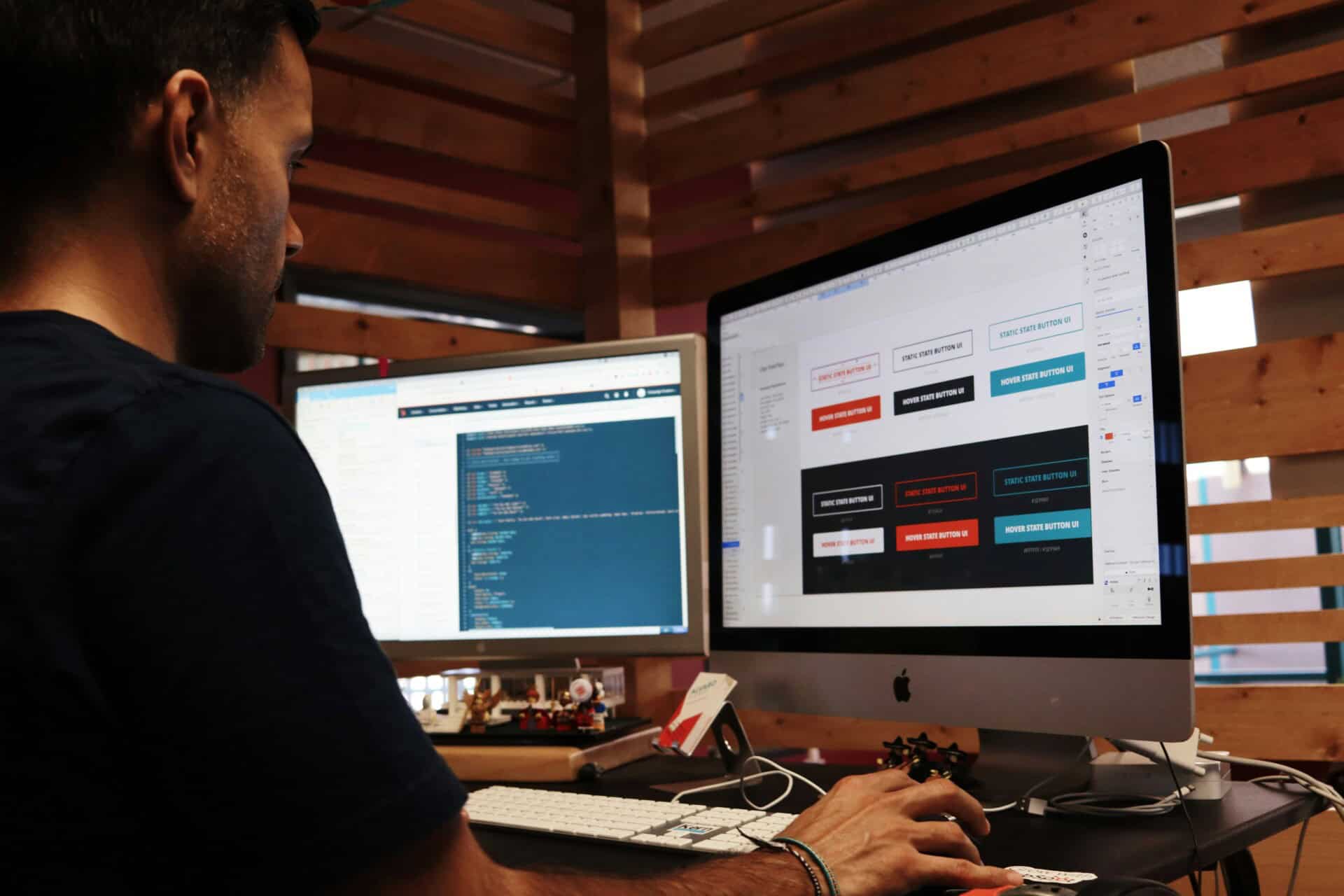
Before a website goes live, this is the stage where everything gets checked properly. It might feel like the project is already finished, but this step is what separates a smooth launch from a messy one filled with broken features and frustrated users. It’s basically the final quality check before real people start using the site.
Functionality testing
First, every interactive part of the website needs to be tested to make sure it actually works the way it should. This includes things like:
- Making sure forms actually submit and send data correctly
- Checking that all buttons lead to the right pages
- Testing login systems or any user access features to confirm they work properly
Even small issues here can create a bad first impression, so everything needs to be tested carefully, not just assumed to work.
Cross-browser testing
Not everyone uses the same browser, so the website has to behave consistently no matter where it’s opened. It should be tested across the most common browsers, including:
- Chrome
- Safari
- Firefox
- Edge
Sometimes a layout might look perfect in one browser but slightly off in another. This step is about catching those differences early and fixing them before users ever notice.
Mobile testing
Mobile experience is just as important as desktop, if not more. A large portion of users will likely visit the site from their phones, so everything needs to be checked on smaller screens. This means testing different devices and screen sizes to make sure:
- Text stays readable
- Buttons are easy to tap
- Layouts don’t break or overlap
- Navigation still feels simple and smooth
A site that works well on mobile instantly feels more professional and trustworthy.
Bug fixing
After all the testing, there are usually small issues that need to be cleaned up. It could be a visual glitch, a broken link, or something not behaving the way it should. This is the final cleanup stage before launch.
Launching the Website
Once everything has been tested, fixed, and double-checked, the website is finally ready to go live. This is the moment where all the planning, design, and development work comes together and gets released to the public. It’s exciting, but it also needs to be done carefully.
Domain and hosting setup
Before anything can be accessed online, the website needs to be properly connected to its domain and hosting environment. This is basically what makes the site “live” on the internet. At this stage, the setup usually includes:
- Connecting the domain name so users can actually reach the website
- Configuring hosting servers so everything runs smoothly and reliably
- Uploading the website files or deploying the final build, depending on the platform used
This step is more technical, but it’s what makes the difference between a local project and a real, accessible website anyone can visit.
Final pre-launch checklist
Even after everything looks ready, it’s still important to do one last full check before hitting launch. This is the final safety net to catch anything that might have been missed earlier.
Before going live, it’s good practice to:
- Go through all links again to make sure nothing is broken
- Confirm that SSL is active so the site is secure
- Test forms one last time to ensure submissions are working properly
- Review SEO settings so the site is properly set up for search engines
It might feel repetitive, but this final pass often prevents small issues from slipping through and affecting the user experience later on.
Going live
Once everything checks out, the website is officially launched and becomes publicly accessible. At this point, the focus shifts from building to observing. It’s important to monitor how the site performs in real time. Check for any unexpected bugs, slow-loading pages, or technical issues that didn’t show up during testing. Most of the time, everything runs smoothly, but early monitoring helps catch and fix small problems quickly before they turn into bigger ones.
Ongoing Maintenance and Improvements

A website doesn’t stop once it’s launched. In fact, that’s really just the beginning. Over time, things need to be updated, checked, and improved to make sure everything keeps running smoothly and stays effective. If a website is left alone for too long, it slowly becomes outdated. Not just in design, but in performance, security, and even search rankings.
Regular updates
One of the most basic but important parts of maintenance is keeping everything up to date. This helps prevent issues and keeps the site stable.
This usually includes:
- Updating the core software or platform
- Installing plugin or extension updates
- Applying security patches when needed
These updates might seem small, but they play a big role in preventing bugs, fixing vulnerabilities, and keeping everything compatible with modern browsers and systems.
Performance monitoring
Once the website is live, it’s important to actually watch how it performs in real situations, not just assume everything is fine. Some key things to keep an eye on include:
- How fast pages are loading for real users
- How people are interacting with the site
- Whether visitors are actually converting into leads or customers
This kind of data shows what’s working and what isn’t. Without it, you’re basically guessing instead of improving based on real behavior.
Content updates
Fresh content also plays a big role in keeping a website relevant. Search engines tend to favor websites that are active and regularly updated. This can include things like:
- Updating existing pages with better or more accurate information
- Adding new blog posts or resources
- Refreshing old content so it stays useful and up to date
It’s not just about SEO either. Updated content also gives returning visitors a reason to stay engaged.
Iterative improvements
Over time, you start to notice patterns in how users interact with the website. Some pages perform better than others. Some sections get ignored completely. Some features get used more than expected.
This is where ongoing improvements come in. Based on real user behavior, changes might include:
- Adjusting layouts to make pages easier to navigate
- Improving or expanding features that users actually use
- Tweaking design or messaging to improve conversions
The goal here is simple: keep refining the website so it performs better over time, instead of staying exactly the same after launch.
Keep your website running smoothly with SetmySite’s WordPress maintenance service, so it stays secure, updated, and fast without you having to worry about downtime, bugs, or anything breaking along the way.
How SetmySite Can Help
At SetmySite, we take your AI-generated design and turn it into a fully working WordPress website that’s fast, clean, and ready for real users. No need to start from scratch or figure everything out on your own.
We rebuild it properly so it actually works in the real world. Here’s what we handle:
- Converting AI designs into a structured WordPress build
- Cleaning up and improving the design for better usability
- Adding full backend functionality so everything works properly
- Setting up SEO basics so your site can rank on search engines
- Optimizing speed and mobile performance
- Connecting tools like forms, analytics, and other integrations
- Making sure everything is ready for a smooth launch
To make things even easier, we also offer ongoing support through our website support plans. These plans are designed to keep your website updated, secure, and running smoothly after launch.
Conclusion
An AI-generated website prototype can feel like a big step forward, and in many ways, it is. It gives you a clear visual direction and helps you see what your website could look like in minutes. But that’s all it is at the start: a concept.
Turning that concept into a real, working website is where the real work begins. It takes proper development, clean structure, backend setup, performance tuning, and ongoing improvements to make everything actually function the way a business needs it to.
Without that, even the best-looking design will stay stuck as just a visual draft. When done right, the transformation is powerful. A rough AI prototype becomes a fast, reliable, and fully functional website that doesn’t just exist online. It actually supports your goals, brings in leads, and grows with your business over time.
If you’re ready to convert AI-generated website prototype into a real website, you don’t need to figure everything out alone or start from scratch. Let us handle the conversion from AI design to a real WordPress website.
Get your AI website turned into a real WordPress site with SetmySite. Contact us today.