


Managing a website takes time, and the cost to manage a website can vary depending on what your site needs. A simple business website may only need basic updates and maintenance, while an online store or larger site may need more regular support.
Knowing what you’ll need to spend can make it easier to plan your budget. In this guide, we’ll look at the main costs involved in managing a website and what can affect the price.
What Are the Costs to Manage a Website in 2026?
Managing a website in 2026 is an ongoing process that takes time, effort, and planning. It’s not just about keeping the site online. It’s also about making sure it performs well, stays secure, and keeps users engaged.
Whether it’s renewing your domain or using tools to track how well your site is doing, the costs can vary based on how simple or complex your site is. Below, we’ve broken down the main costs to consider when managing a website.
Domain name renewal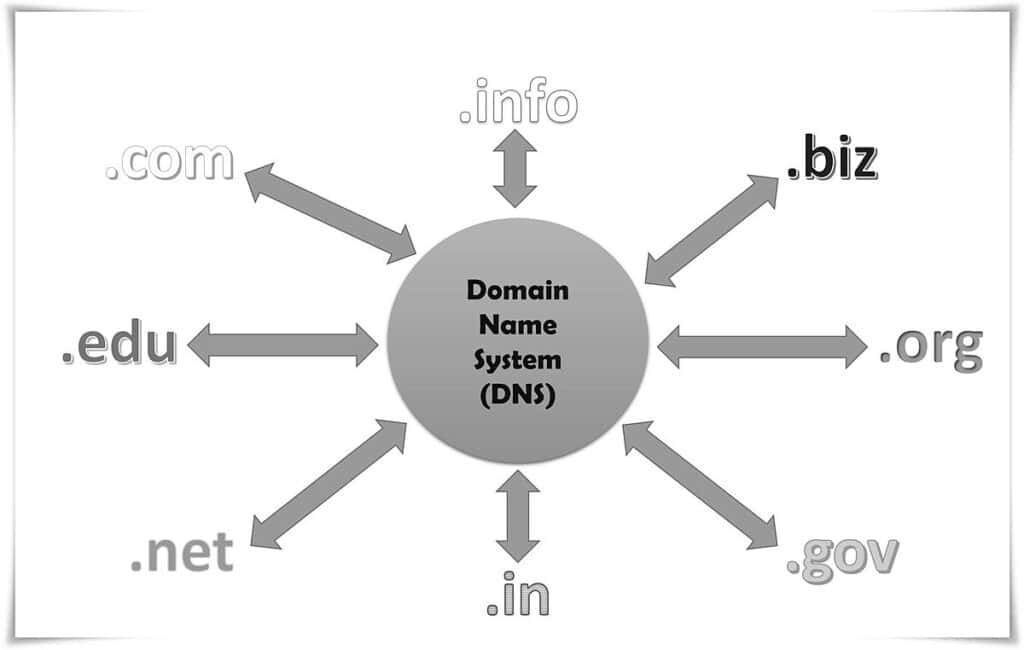
Cost: $10–$50 per year
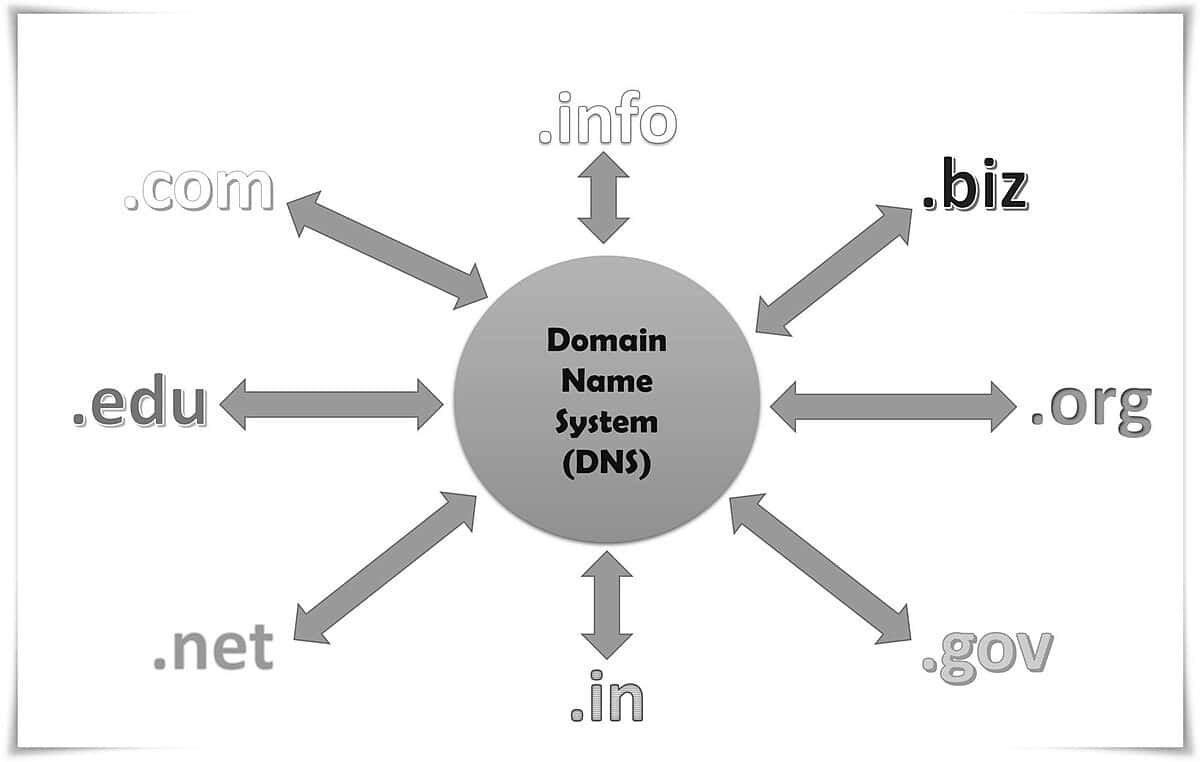
Your domain name is a big part of your website’s identity online. You need to renew it every year, and the price depends on where you buy it and the type of domain you choose.
- Generic Top-Level Domains (gTLDs) like .com, .org, and .net are the most common and work well for businesses, nonprofits, and personal websites.
- Country Code Top-Level Domains (ccTLDs) such as .uk, .ca, and .au are tied to specific countries, making them great for local businesses or regional markets.
- Sponsored Top-Level Domains (sTLDs) like .edu, .gov, and .mil are restricted to specific groups or industries and often require eligibility verification.
Specialized domains like .tech or .ai fall under newer gTLDs and often come at a premium price because they cater to niche industries.
Some businesses opt for multi-year registrations to save money and secure their domain long-term. However, it’s important to note that while registrars often offer discounts for the first year, renewal rates are usually higher. Planning ahead can help you avoid surprises.
Hosting services
Cost: $5–$500 per month
Web hosting is what keeps your website online and accessible to visitors. The price depends on the type of hosting you choose, and each option has its own benefits depending on your needs. Here’s a breakdown of the main types of hosting:
Shared hosting
Starting as low as $5/month, this is the most affordable option for smaller websites. With shared hosting, your website shares server space with other websites. It’s affordable but comes with downsides like slower speeds and limited resources. Shared hosting works well for personal blogs or small businesses that don’t get much traffic.
VPS hosting
Virtual Private Server (VPS) hosting costs between $20 and $100 per month. It’s a step up from shared hosting, giving you more resources and control over your site. VPS is a good choice for medium-sized websites that need better performance and more flexibility without breaking the bank.
Dedicated hosting
Dedicated hosting starts at $100 and goes up to $500 per month. With this option, your website gets an entire server to itself, which means better performance, more security, and the ability to handle high traffic. This is ideal for large businesses or websites with lots of visitors. However, it does require more money and technical upkeep.
Managed hosting
Managed hosting usually costs $30–$300 per month. It’s perfect if you don’t want to deal with the technical side of things. Your hosting provider takes care of server updates, backups, security, and more, so you can focus on running your business.
At SetMySite, we offer reliable managed hosting services to make your life easier. We’ll handle the tech stuff while you focus on growing your website.
Contact us today to learn how we can simplify your website management!
Cloud hosting
Cloud hosting starts at around $10 per month and can scale up based on what you need. Instead of being on one server, your website is hosted across multiple servers, which makes it more flexible and reliable. This pay-as-you-go model is particularly useful for growing businesses or websites with fluctuating traffic patterns.
WordPress hosting
Costs range from $5–$50/month, depending on whether you choose shared or managed plans. WordPress hosting is designed specifically for WordPress websites, offering faster speeds, automatic updates, and extra security. It’s ideal for bloggers or businesses using the platform.
Each hosting option has its pros and cons. Picking the right one comes down to your website’s size, traffic needs, and budget. You can also add features like daily backups or enhanced security for an extra cost, so think about what’s most important for your site.
Additional reading: Top Reasons to Outsource Website Maintenance for Your Business
Content Management System (CMS) and Plugin Updates
Cost: $50–$200 per update cycle
A CMS like WordPress, Joomla, or Drupal needs regular updates to keep it running smoothly and securely. These updates often bring new features, fix bugs, and improve compatibility.
Plugins and extensions also need to be updated to prevent any problems or security risks. While you can handle many updates yourself, some more complicated updates or issues might need professional help, which can add to the cost.
At SetMySite, we can take care of all your website updates, ensuring everything stays secure and up-to-date without the hassle.
Security and monitoring

Cost: $50–$300 annually
Cybersecurity threats are a serious concern for any website owner. Protecting your site requires multiple layers of defense to keep your data safe and ensure your visitors have a secure experience. Here’s a closer look at the security measures you should consider:
- SSL certificates: These are essential for encrypting the data exchanged between your website and visitors, improving trust and SEO rankings. Basic SSL certificates are often free, but more advanced ones with extra features can cost anywhere from $50 to $100+ per year.
- Firewalls and malware protection: Services like Sucuri or Cloudflare provide powerful protection tools to guard your site against malicious attacks, such as hacking attempts and viruses. Prices for these services vary depending on the level of protection you need, with more comprehensive plans costing between $100 and $300 per year.
- 24/7 monitoring: Real-time monitoring services alert you to potential security threats or performance issues as they happen. These services help detect and address problems quickly, minimizing any potential downtime or damage. The cost of monitoring depends on how detailed the service is, but you can expect to pay anywhere from $50 to $300 annually for a reliable, all-encompassing system.
Investing in security is not optional. It’s absolutely necessary for safeguarding your website and the personal data of your users. With cyber threats becoming more sophisticated, it’s better to invest in comprehensive protection upfront rather than deal with the potential fallout from a breach.
Technical maintenance and repairs
Cost: $50–$500 per issue
Keeping a website running smoothly takes regular technical maintenance. This means fixing broken links, updating software, and dealing with bugs when they come up. While smaller fixes can sometimes be done in-house, bigger technical problems usually need help from a professional. Many web management companies offer maintenance plans to take care of these issues before they become bigger problems, saving you time and stress.
What we offer at SetMySite
At SetMySite, we provide website management services designed to keep your site running smoothly, securely, and efficiently. We offer three plans to fit your needs:
- Upkeep plan: Ideal for businesses needing regular maintenance and basic updates, this plan covers essentials like fixing issues, adding new content, optimizing speed, and ensuring security. You also get daily backups, malware protection, and 24/7 monitoring.
- Webmaster plan: Perfect for those needing more advanced features like event management, basic eCommerce, and intermediate integrations. It includes all Upkeep Plan features plus extra support time, phone and video assistance, and a dedicated website manager.
- Advanced plan: Designed for complex sites, this plan supports advanced eCommerce, membership sites, and custom development. It offers all Webmaster features plus higher-level integrations, additional support time, and monitoring for more pages.
All our plans include daily updates, security protection, and detailed reports to keep you informed. Watch our demo to see how SetmySite can simplify website management for your business.
Content creation and updates
Cost: $50–$500 per piece
Keeping your website updated with fresh, engaging content is key to attracting visitors and improving your search rankings. Costs depend on the type of content you need:
- Blog posts: Writing articles can cost $50–$300 each, depending on their length and quality.
- Visual media: Infographics, images, and videos range from $100–$500, depending on how detailed or customized they are.
- Copy updates: Updating existing pages for new services or products typically costs $50–$150 per update.
Investing in great content doesn’t just draw people in—it also builds trust and shows you’re an expert in your field.
SEO services
Cost: $500–$5,000 per month
A solid SEO plan helps your site get noticed, attract the right audience, and keep users engaged. The cost of SEO services depends on how much help you need, and usually includes several key areas:
On-page optimization
This involves improving the content on your site, along with things like meta descriptions, header tags, and internal links. It’s all about making your site easy for search engines to read and understand, which helps it rank higher. Using the right keywords and having quality content are also big parts of on-page optimization.
Off-page SEO
This focuses on getting other websites to link back to yours, known as backlinks. Backlinks are important because they show search engines that your site is trustworthy, which can help boost your ranking. Off-page SEO also includes promoting your site through social media and working with influencers to increase your brand’s reach.
Technical SEO
This part makes sure the technical side of your website is working well for search engines. It includes things like improving load speed, making sure your site works well on mobile, and fixing broken links. This also involves setting up XML sitemaps to help search engines better understand your site.
Performance tracking
SEO is an ongoing process. After optimizing your site, it’s important to track how well it’s doing. This includes keeping an eye on things like website traffic, keyword rankings, and bounce rates. By analyzing this data, SEO experts can make adjustments to continue improving your site’s performance over time.
Analytics and performance tools

Cost: $20–$300 per month
To see how your website is doing and make smart improvements, you’ll need tools like Google Analytics, SEMrush, or Hotjar. The free versions give you basic info, but paid plans offer more advanced features like heatmaps, session recordings, and competitor tracking. These tools can show you what’s working, what needs fixing, and how to make your site better for visitors—which can lead to more sales or sign-ups.
Customer support and management
Cost: $50–$500 per month
A strong customer support and management system is essential for handling technical issues, user questions, or service interruptions. Support options include:
- Managed services: Monthly plans that offer guaranteed response times, regular check-ins, and proactive issue resolution.
- On-demand support: Pay-as-you-go services for specific problems, which can be more budget-friendly for smaller businesses.
- Live chat and chatbots: Tools to provide instant assistance to users, starting at $20 per month, with more advanced systems costing upwards of $200.
- Dedicated account managers: Having a dedicated point of contact ensures personalized support and streamlined communication, often included in higher-tier plans.
A well-managed support system keeps your site running smoothly, improves user satisfaction, and strengthens trust with your audience.
Scalability and growth costs
Cost: Variable
As your website grows, you might face extra costs to handle more traffic, add new features, or expand your business. For example, you could need server upgrades to keep your site running smoothly with more visitors.
Adding features like online shopping or chatbots can improve the user experience, but they might also mean higher development costs. Over time, you may want to refresh your website’s design to keep it looking modern and meeting users’ needs. Planning ahead for these changes will help your website stay a valuable part of your growing business.
DIY vs. Hiring Professionals

When it comes to managing your website, you have two main choices: doing it yourself (DIY) or hiring professionals. Both options have their pros and cons, and the right one depends on your skills, budget, and the complexity of your website.
DIY website management
If you’re tech-savvy or have a smaller website, managing it yourself can save money. Tools like WordPress plugins or basic hosting plans can help you handle updates, add content, and fix problems on your own. However, it can take up a lot of time, and if you’re not familiar with web development, you might run into technical issues or make mistakes that could affect your site.
Hiring professionals
Hiring professionals to manage your website can make things a lot easier. Experts will handle everything, from technical maintenance to design updates. This is especially helpful for larger websites or businesses that depend on their online presence.
While it costs more, it can save you time and ensure that your site runs smoothly and securely. Professionals can also offer services like advanced SEO, custom features, and strong security measures to help your site perform better and stay protected.
Key considerations
- Time and expertise: Do you have the time and knowledge to handle website tasks effectively?
- Budget: Is your budget sufficient to hire professionals, or would DIY management be more cost-effective?
- Business goals: How critical is your website to your business? A professional team may be worth the investment if your site drives significant revenue.
- Long-term needs: As your site grows, will you be able to scale its management, or will hiring professionals eventually become necessary?
Both options have their place, and you can even combine them—for example, managing basic tasks yourself while outsourcing complex or time-sensitive issues to experts. By weighing these factors, you can make the best decision for your website and business needs.
Read more: WordPress Support Agency: How to Choose the Right Partner for Your Website
Conclusion
The cost to manage a website can vary greatly based on several factors, such as the type of site, its complexity, and the ongoing maintenance needs. By carefully considering these elements and budgeting accordingly, you can ensure that your website continues to support your business goals effectively.
Whether you opt for a DIY approach or decide to hire professionals, investing in proper website management is essential for maintaining a strong and successful online presence. Ready to take your website to the next level?
Contact us today to discuss how we can help you optimize your site and manage its costs effectively!