
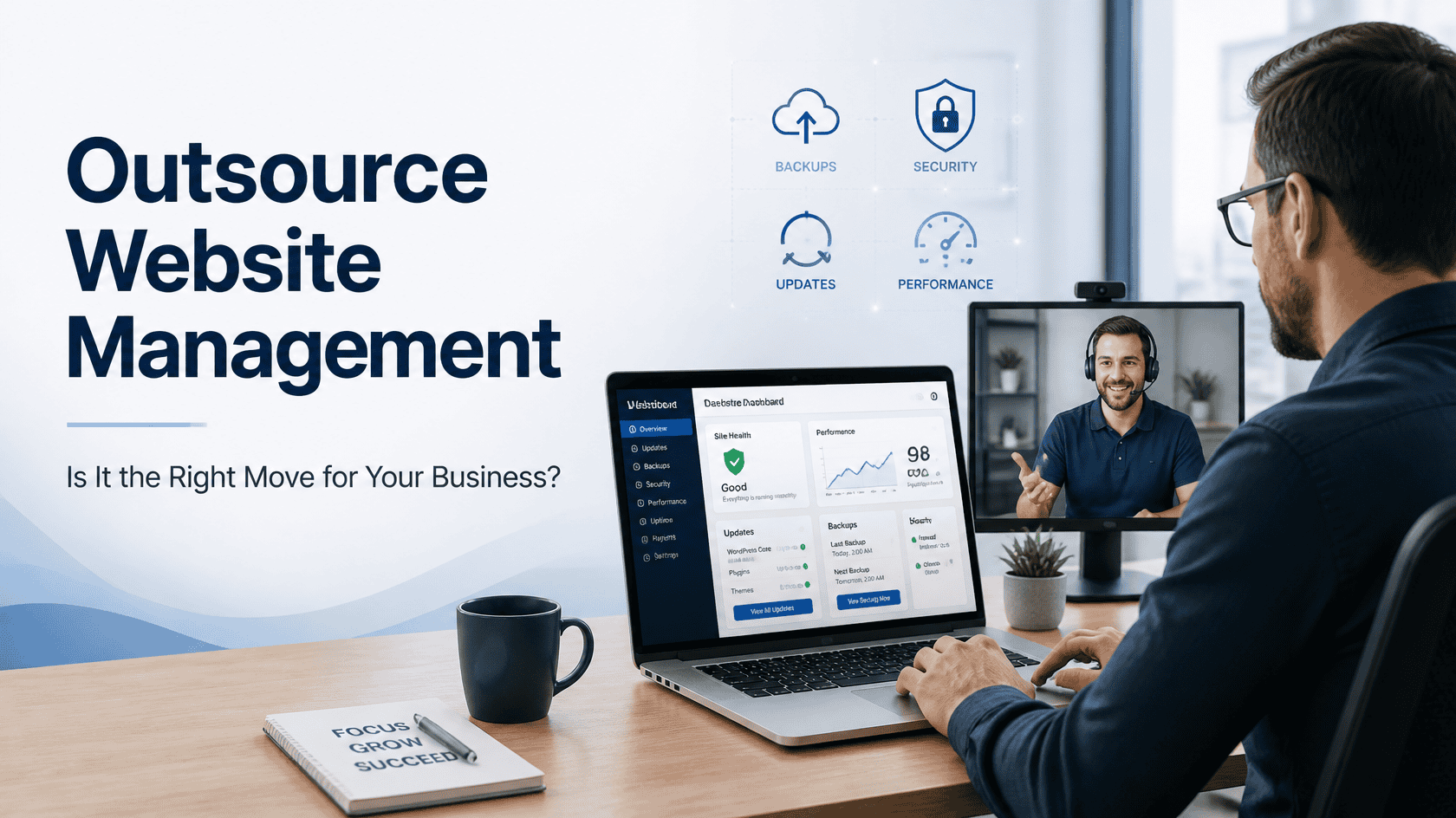
Running a business takes time. Between managing customers, handling daily operations, and keeping up with sales and marketing, website maintenance can easily fall to the bottom of your to-do list. But your website still needs attention. It requires regular updates, security checks, backups, performance monitoring, and occasional fixes to keep everything working properly.
For business owners without a dedicated technical team, handling these responsibilities can become frustrating. A simple plugin update might cause an unexpected error, a broken contact form could prevent customers from reaching you, or an outdated website could leave visitors with a poor impression of your business.
One solution is to outsource website management to a professional who can handle these tasks for you. Instead of hiring a full-time employee or trying to fix every issue yourself, you can work with an external provider for ongoing website maintenance and support.
But is outsourcing the right choice for your business? Let’s look at what it involves, the benefits, the potential costs, and what to consider before choosing a website management provider.
What Does It Mean to Outsource Website Management?
To outsource website management means hiring an external professional, agency, or service provider to handle your website’s ongoing maintenance and technical responsibilities. Rather than managing everything internally, you delegate specific tasks to people with skills and experience to keep your website running smoothly.
The services you receive depend on the provider and the agreement you choose. Some businesses outsource individual tasks, such as fixing website errors or updating content. Others work with a website management company that provides ongoing support through a monthly service plan.
Common outsourced website management tasks include:
- Website maintenance: Installing WordPress core, theme, and plugin updates to keep your website current.
- Security monitoring: Checking for malware, vulnerabilities, and suspicious activity.
- Website backups: Creating regular copies of website files and databases to help protect important information.
- Performance optimization: Identifying issues that affect loading times and overall website performance.
- Content and design updates: Editing existing pages, adding new content, and making website design changes.
- Technical troubleshooting: Fixing broken features, plugin conflicts, and other website problems.
- Third-party integrations: Connecting website tools and services to support business operations.
WordPress also provides a website maintenance guide that covers routine tasks such as updating your website, checking for broken links, and creating backups.
Outsourcing doesn’t necessarily mean giving another company complete control of your website. You can decide which responsibilities to delegate while retaining ownership and access to your website, domain, hosting account, and other important assets.
For businesses that rely on WordPress, working with a provider that specializes in WordPress website management can be especially helpful. You get access to people familiar with the platform without having to build an internal technical team.
What Website Management Tasks Can You Outsource?
Website management involves more than making occasional edits. Several technical and administrative responsibilities need regular attention, and outsourcing allows you to delegate the tasks your business doesn’t have the time or expertise to handle.
Here are some common services you can outsource.
Website maintenance and updates
Websites rely on different software components that need regular updates. For WordPress websites, this includes the core software, themes, and plugins.
Updates often introduce security improvements, bug fixes, and new features. However, installing them without checking compatibility can sometimes cause problems with other website components.
A website management provider can handle routine updates, check that important features continue working, and address issues that appear after an update.
Website security and backups
Website security should never be an occasional task. Outdated software, weak passwords, and vulnerable plugins can expose websites to security threats.
When you outsource website management, your provider can help monitor your website for suspicious activity, perform malware scans, maintain firewall protection, and address potential vulnerabilities.
Backups are another important part of website protection. If an update breaks your website or a technical issue causes data loss, a recent backup can help restore your site.
Ask your provider how frequently backups are created, how long they are retained, and how website restoration works.
Website performance optimization
A slow website can frustrate visitors and make it harder for them to complete important actions, such as submitting a contact form or purchasing a product. Website performance optimization may involve:
- Compressing and optimizing images
- Reviewing caching configurations
- Identifying unnecessary plugins and scripts
- Improving page loading times
- Checking Core Web Vitals
- Fixing performance-related technical issues
An experienced provider can identify areas that need attention and recommend improvements based on your website’s requirements.
Need help with WordPress updates, website edits, or technical fixes? Explore our WordPress management services to see how our team can help take care of your website.
Website edits and content updates
Your website needs to reflect your current business information. You might need to update service descriptions, change pricing, add team members, publish new pages, or replace outdated images.
These changes may seem small, but they can take time if you aren’t familiar with your website’s content management system.
Outsourcing website edits gives you someone who can handle these requests while keeping your pages consistent and functional.
Technical support and troubleshooting
Sometimes, website problems appear without warning. A contact form might stop working, a plugin might conflict with another tool, or a page might display incorrectly after an update.
Instead of spending hours searching for solutions, you can contact your website management provider for assistance.
Depending on the service agreement, they may handle troubleshooting, bug fixes, broken features, and basic third-party integrations.
Additional reading: WordPress Support Retainer: What It Is and Why Your Website Needs One
7 Benefits of Outsourcing Website Management
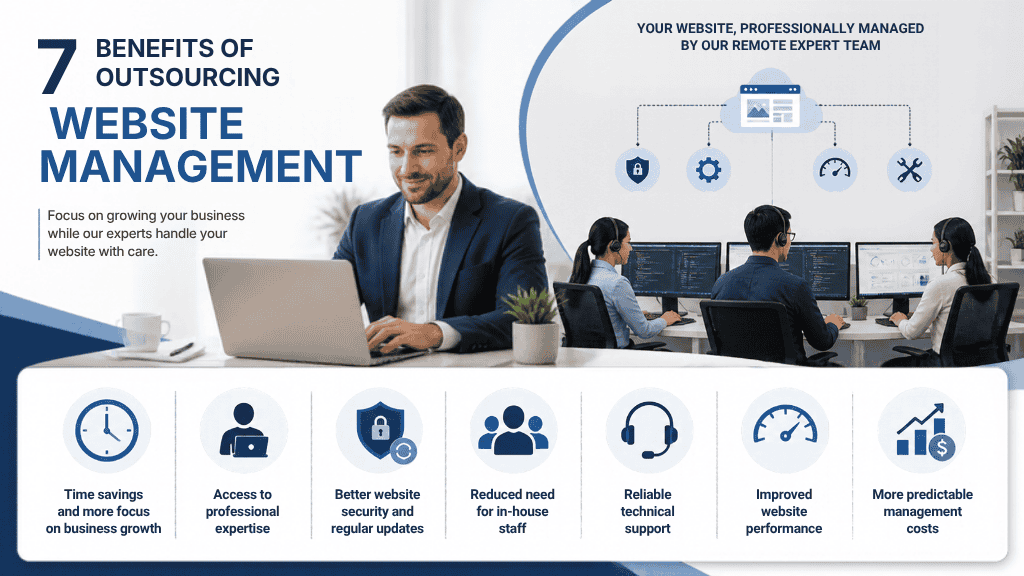
Why do businesses choose to outsource website management instead of handling everything internally? For many, the biggest advantage is having reliable support without taking on the responsibilities of hiring and managing a dedicated technical employee.
Here are seven benefits worth considering.
1. Save time and focus on running your business
Website maintenance involves many small tasks that can quickly add up. Checking for updates, reviewing website security, fixing broken links, and making content changes all require time.
If you’re managing these responsibilities yourself, they can take attention away from more important business activities.
Outsourcing allows you to delegate routine website work to professionals. You can spend more time serving customers, developing products, managing employees, and growing your business instead of troubleshooting website issues.
2. Get access to professional expertise
You don’t need to become a WordPress expert to maintain a business website.
Working with an experienced website management company gives you access to professionals who understand website maintenance, troubleshooting, security, and performance optimization.
They can also help identify problems you might overlook. For example, an experienced provider may notice an outdated plugin, a broken website feature, or a performance issue before it becomes a bigger concern.
This can be particularly helpful for businesses without an internal IT department or dedicated web developer.
3. Keep your website secure and updated
A website that doesn’t receive regular attention can become vulnerable to technical and security problems.
Outsourcing website management helps establish a consistent maintenance routine. Your provider can monitor security, install updates, perform malware scans, and create backups based on the agreed service schedule.
While no maintenance service can guarantee complete protection against every threat, regular website maintenance helps reduce avoidable risks and makes it easier to address problems.
4. Reduce the need for an in-house team
Hiring a full-time website manager or developer can be expensive, especially if your business only needs occasional website assistance.
Beyond salaries, you may also need to consider employee benefits, training, equipment, and other staffing expenses.
Outsourcing gives you another option. Instead of hiring someone to handle every website-related task, you can pay an external provider for the services your business actually needs.
This arrangement can be especially useful for small businesses that require regular website support but don’t have enough work to justify a dedicated employee.
5. Get help when website problems arise
Website problems don’t always happen at convenient times. A broken page, failed update, or malfunctioning contact form can affect your website’s visitors and daily operations.
Having an established relationship with a website management provider gives you someone to contact when these problems occur.
You don’t have to start searching for a developer every time something goes wrong. You already have a provider familiar with your website and its setup.
Just make sure you understand the provider’s response times, support hours, and policies for urgent requests before signing up.
6. Improve website performance and user experience
Your website should make it easy for visitors to find information and interact with your business.
Slow-loading pages, broken links, outdated content, and malfunctioning features can create a frustrating experience.
A website management provider can help identify and fix these problems through regular maintenance and performance checks.
Keeping your website updated and functional can also support your broader digital marketing efforts. After all, attracting visitors through search engines or advertising is only part of the job. Your website also needs to give those visitors a good experience.
7. Make website management costs more predictable
Website problems can lead to unexpected expenses, particularly when you need to hire someone to fix an urgent issue.
Monthly website management plans offer a different approach. You pay a recurring fee for an agreed set of maintenance and support services.
Depending on the provider, your plan may include routine updates, security monitoring, backups, website edits, troubleshooting, and a set number of support hours.
This makes it easier to plan for ongoing website expenses. You also have a clearer idea of which services are included and when additional charges may apply.
Looking for ongoing website support without hiring an in-house team? Compare SetMySite’s website support plans and find an option that matches your website’s needs and monthly support requirements.
How Much Does It Cost to Outsource Website Management?
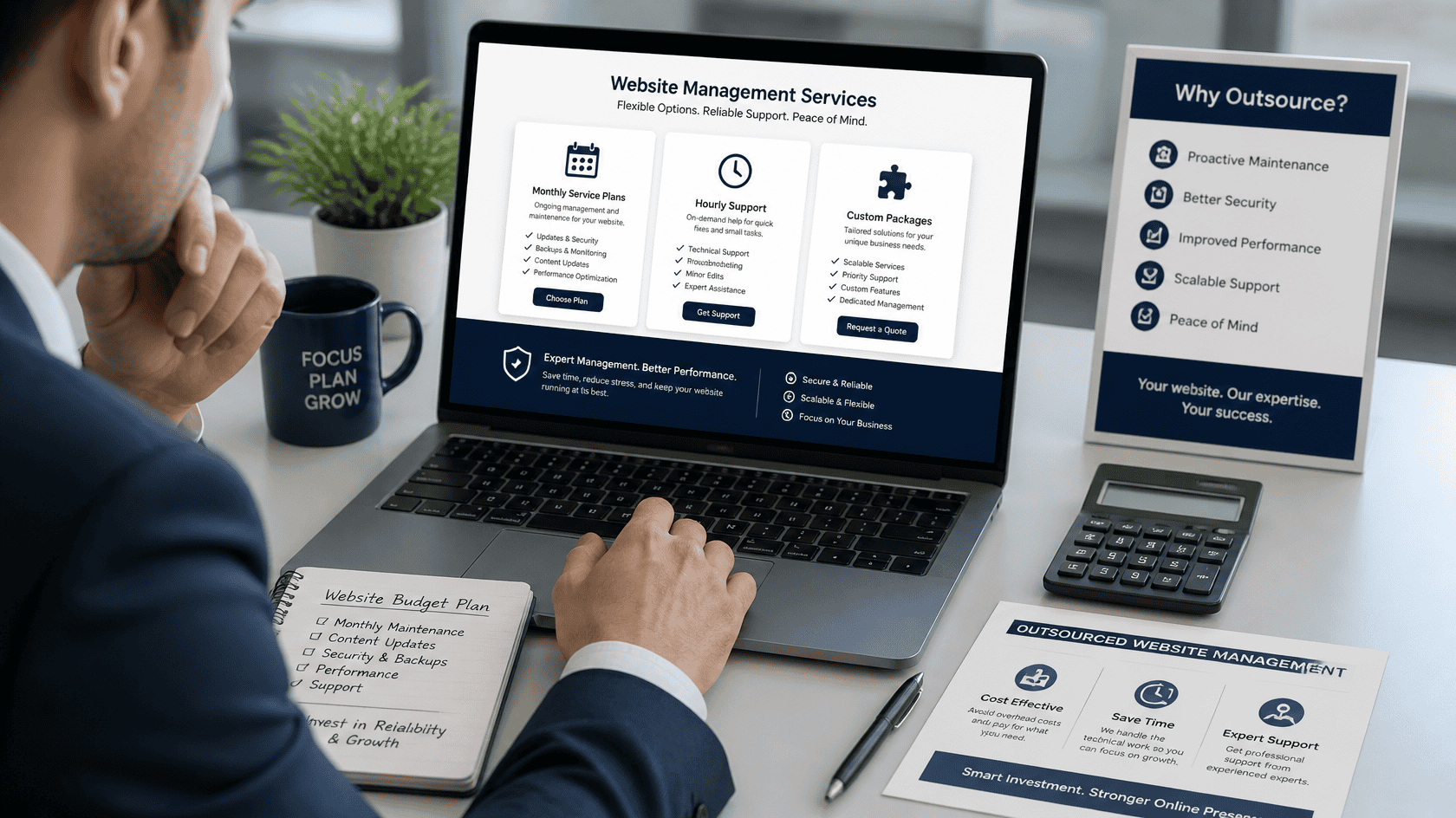
The cost of outsourcing website management depends on the services you need, the complexity of your website, and the provider you choose.
A simple business website that only requires occasional updates will have different needs from a large website with multiple integrations, advanced functionality, or eCommerce features.
Most providers use one of the following pricing models:
- Monthly website management plans: You pay a recurring fee for ongoing maintenance and support. Plans may include updates, backups, security monitoring, performance checks, and a set amount of support time.
- Hourly website support: You pay for the time a professional spends completing specific tasks. This arrangement works well for occasional edits, troubleshooting, and one-time fixes.
- Pay-as-you-go services: You request assistance when something needs attention and pay for the work completed. This can be suitable for businesses that rarely need website support.
- Custom website management packages: Some providers create service packages based on website complexity and business requirements. These may include advanced integrations, eCommerce support, or more extensive technical assistance.
Before choosing a provider, look beyond the monthly price. Check how much support time is included, whether unused hours roll over, how quickly requests are handled, and whether additional work comes with extra fees.
A cheaper plan isn’t necessarily the better option if it doesn’t cover the tasks your website needs.
Read more: How much does it cost to have someone run a website for you?
Outsourcing Website Management vs. Managing It In-House
Should you outsource website management or keep everything within your business? Both options have advantages, and the right choice depends on your available resources and website requirements.
| Factor | Outsourcing | In-house management |
| Staffing | External professionals or agencies | Internal employees |
| Costs | Service-based fees | Salaries, benefits, and training |
| Expertise | Access to external specialists | Depends on the employee’s skills |
| Availability | Based on the provider’s support hours | Based on internal staffing |
| Flexibility | Service levels can often be adjusted | May require additional hiring |
| Management | Requires coordination with an external provider | Direct employee supervision |
| Website knowledge | Provider needs time to learn your setup | Internal familiarity can develop over time. |
When does in-house management make sense?
An internal team may be a good choice if your business has complex website requirements, frequent development projects, or enough ongoing work to justify dedicated employees. You also have more direct control over daily priorities and how website tasks are handled.
When does outsourcing make sense?
Outsourcing may be more practical if your business needs regular maintenance and technical assistance but doesn’t require someone working on the website full-time. It’s also worth considering if you lack the technical skills to handle website problems or would rather spend your time on other business responsibilities.
You don’t necessarily have to choose one approach exclusively. Some businesses maintain an internal marketing or IT team while outsourcing specialized website maintenance and support tasks.
Signs Your Business Should Outsource Website Management

Not every business needs an external website management provider. However, certain situations suggest that outsourcing could make website maintenance easier.
Here are some signs it might be time to consider it:
Your website tasks keep piling up
You know your website needs updates, but other business responsibilities keep getting in the way. Small tasks remain unfinished, and routine maintenance becomes something you only address when a problem appears.
You don’t have the technical skills to fix website problems
You can update text and images, but troubleshooting plugin conflicts, security issues, and technical errors is a different story. If you regularly struggle with website problems, professional support can save you time and frustration.
Your website experiences frequent issues
Broken pages, slow loading times, failed forms, and unexpected errors can affect how visitors interact with your business. If these problems happen regularly, having someone monitor and maintain your website can help address them.
You don’t have time to manage your website
Your website is important, but maintaining it isn’t your main responsibility. If you’re spending too much time handling updates and technical requests, outsourcing can free up time for other business priorities.
You need ongoing support without hiring full-time staff
Your website needs regular attention, but you don’t have enough work to justify hiring a dedicated employee.
A monthly website management plan can provide access to ongoing support without adding another full-time position to your payroll.
How to Choose the Right Website Management Provider
Once you’ve decided to outsource website management, the next step is finding a provider that fits your business. Not all companies offer the same services, support arrangements, or pricing structures. Here are a few things to check before making a decision.
Check the services included
Start by identifying what your website needs. Does it require regular WordPress updates, security monitoring, backups, content changes, or more advanced technical support?
Compare these requirements with the provider’s service packages. Make sure the plan covers the tasks you expect them to handle.
Look at their experience and expertise
If your website runs on WordPress, look for a provider with experience maintaining WordPress websites.
Ask about their experience with themes, plugins, integrations, and troubleshooting. You want a team that understands the platform and can handle common technical issues.
Understand their pricing and support limits
Review the provider’s pricing structure carefully. Find out how many support hours are included, whether unused time rolls over, and what happens when your requests exceed the monthly allowance.
Also check whether there are separate charges for advanced development work or urgent requests.
Ask about response times and availability
A provider should explain how long it typically takes to respond to requests and complete different types of work.
Check whether support is available through email, phone, or video calls. If your website is important to daily operations, make sure the provider’s availability matches your business needs.
Review their security and backup practices
Ask how frequently they perform backups, how they monitor website security, and what happens if your website needs to be restored.
You should also retain ownership of your website and have appropriate access to important accounts and files.
Read reviews and client testimonials
Customer feedback can help you assess a provider’s reliability and communication.
Look for reviews that mention response times, quality of work, technical expertise, and how the company handles problems. Don’t focus on positive ratings.
Pay attention to how the provider responds to concerns and whether customers describe consistent support.
Still looking for a team to help manage your website? Check out our free video demo to see what’s included, compare features, and find the right level of support for your business.
Get Help Managing Your Website with SetMySite
You don’t have to manage every part of your website on your own. If keeping up with updates, fixing issues, and checking website security is becoming too much, getting some help can make things easier.
SetMySite offers different WordPress website management plans depending on how much support your business needs. These include:
- Safeguard plan: Basic WordPress security and maintenance to help protect your website.
- Upkeep plan: Regular help with website updates, edits, fixes, and optimization.
- Webmaster plan: More extensive support for ongoing website tasks and intermediate integrations.
- Advanced plan: Help with advanced integrations, eCommerce, and more complex website needs.
- On-call plan: Occasional website assistance when you need help with specific tasks.
Having a support team to turn to when your website needs attention can save you time and spare you the hassle of handling every technical issue yourself. Take a look at our website management plans to find the level of support that works best for your business.
Is Outsourcing Website Management Worth It?
For many businesses, choosing to outsource website management is a convenient way to keep a website in good shape without hiring an in-house technical team.
You get help with regular updates, security checks, backups, website edits, performance improvements, and technical issues. This also means you can spend less time dealing with website tasks and more time running your business.
That said, outsourcing isn’t the right choice for everyone. If you have a simple website, the technical skills, and enough time to handle maintenance yourself, managing it in-house may work just fine.
But if your website needs regular attention and you don’t have the time or resources to keep everything up, getting help from a website management provider is worth considering.
Before choosing one, look for a provider that offers the services you need, has clear pricing, communicates well, and can give your website the right level of support.
Frequently Asked Questions (FAQs)
Is it cheaper to outsource website management?
Outsourcing can be more cost-effective than hiring a full-time website manager, particularly for businesses that only need part-time or ongoing maintenance support. However, the actual cost depends on your website’s requirements, the provider’s pricing, and the services included.
Can I outsource WordPress website management?
Yes. Many website management companies specialize in WordPress and offer services such as core, theme, and plugin updates, backups, security monitoring, performance optimization, and technical support.
How do I know if I need a website management company?
You may benefit from outsourcing if you don’t have time to maintain your website, regularly experience technical problems, lack the skills to troubleshoot issues, or need ongoing support without hiring a full-time employee.
What should be included in a website management plan?
A website management plan may include WordPress updates, security monitoring, website backups, performance checks, troubleshooting, and technical support. Some providers also offer content updates, design changes, integrations, and development assistance. Always check the specific services and support limits included in your chosen plan.